Your Google Drive,
fully understood

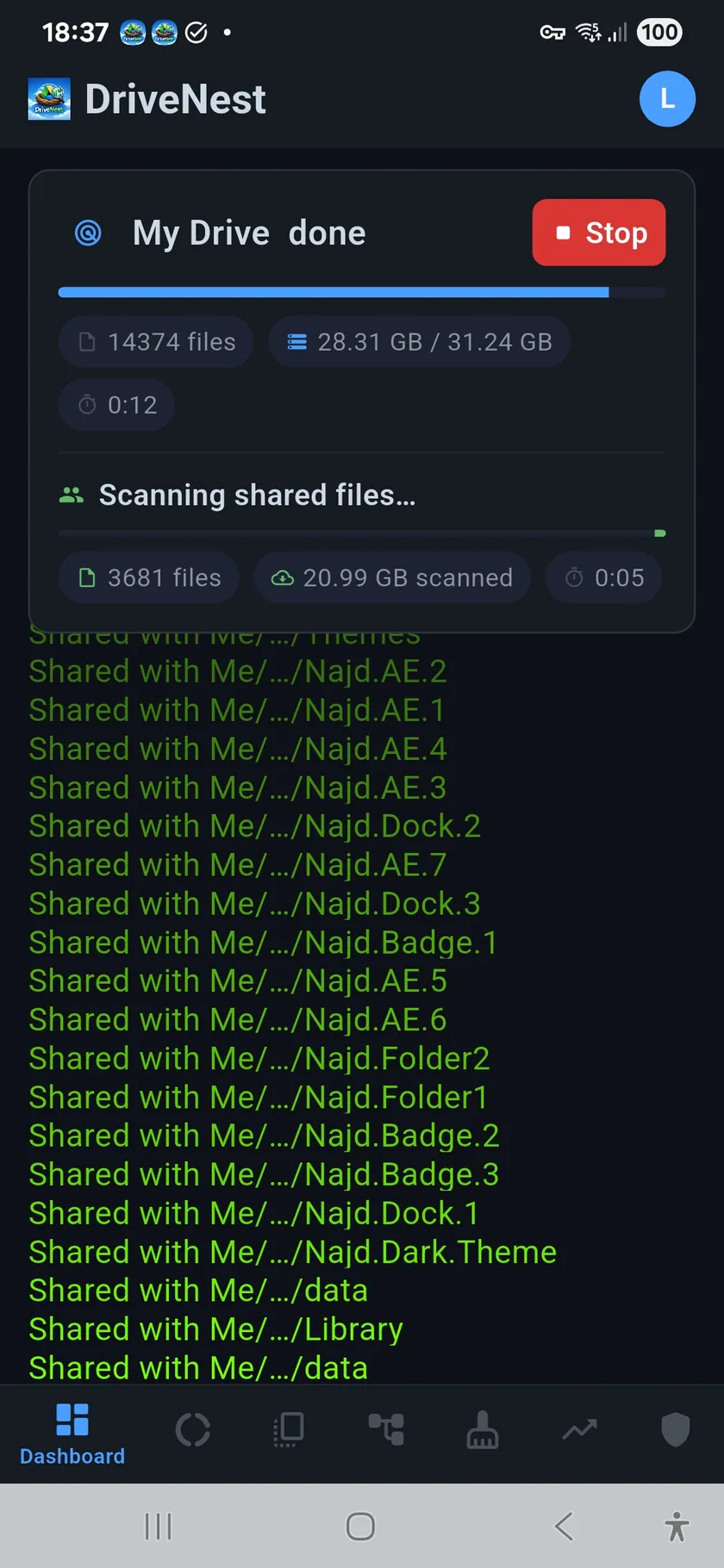
Most people have no idea what's eating their Google Drive storage. DriveNest scans, analyzes, and helps you act — so your Drive is fully understood.

Get it on Google Play
▶ See it in action Explore screens

Stop guessing. Start understanding.

Google Drive tells you one number. DriveNest gives you visibility, reclaim, protection, and tracking.

💡

I had no idea 40% of my storage was in one folder

Google Drive shows a flat file list. DriveNest shows you the full picture — instantly.

Visibility

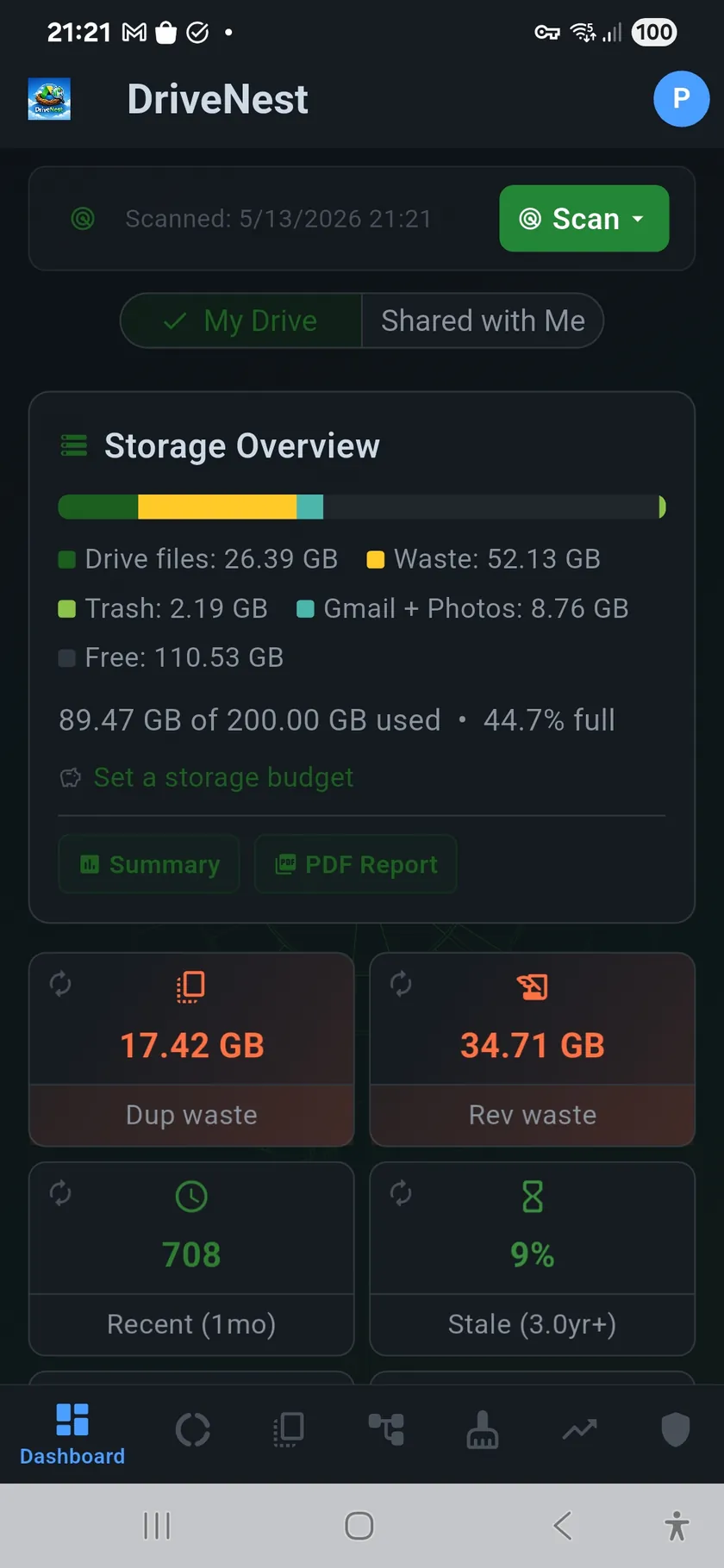
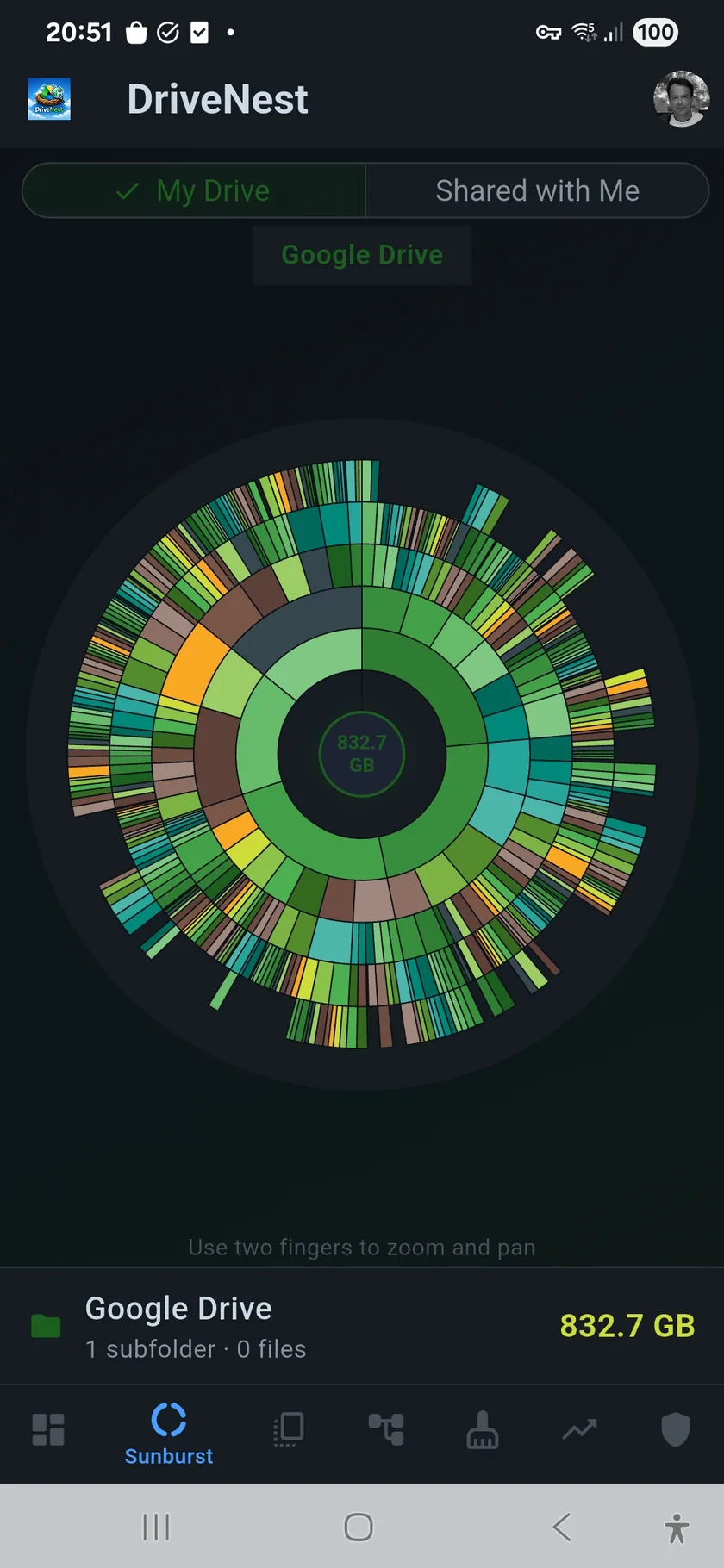
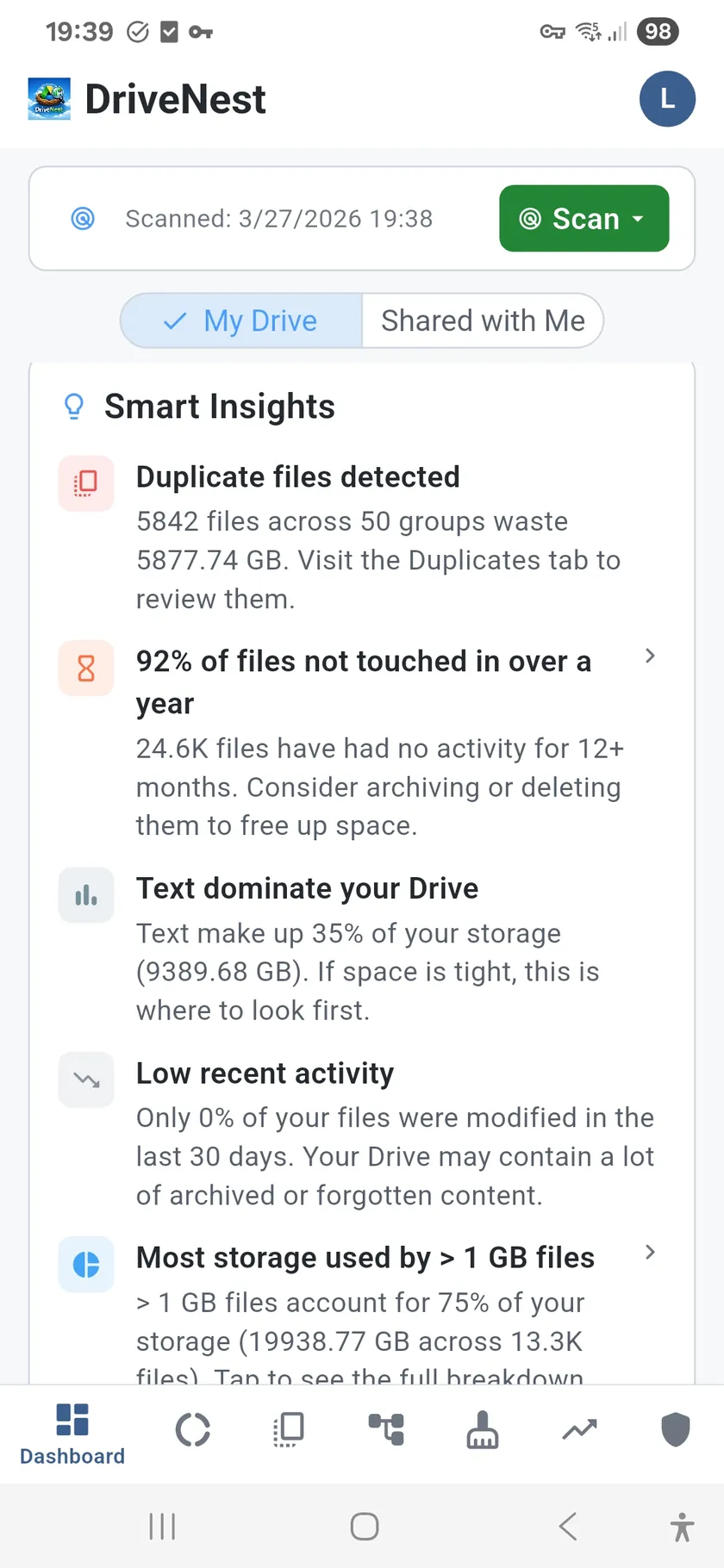
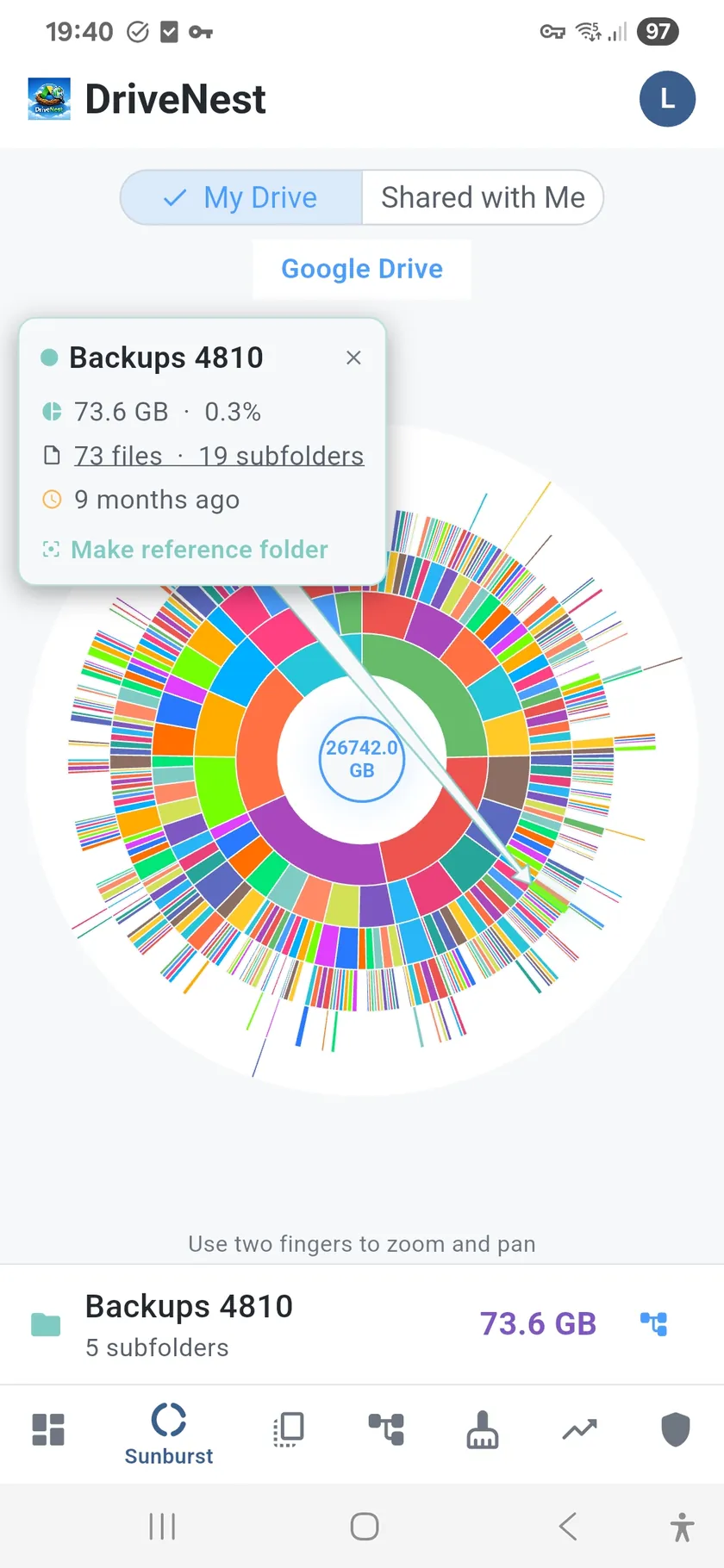
An interactive sunburst chart maps your entire folder hierarchy into a visual you can tap and explore. File type distribution across 11 categories reveals surprises ("8 GB of audio files?"). The smart dashboard surfaces anomalies automatically — no manual digging required.

👻

Hidden cruft I never knew existed

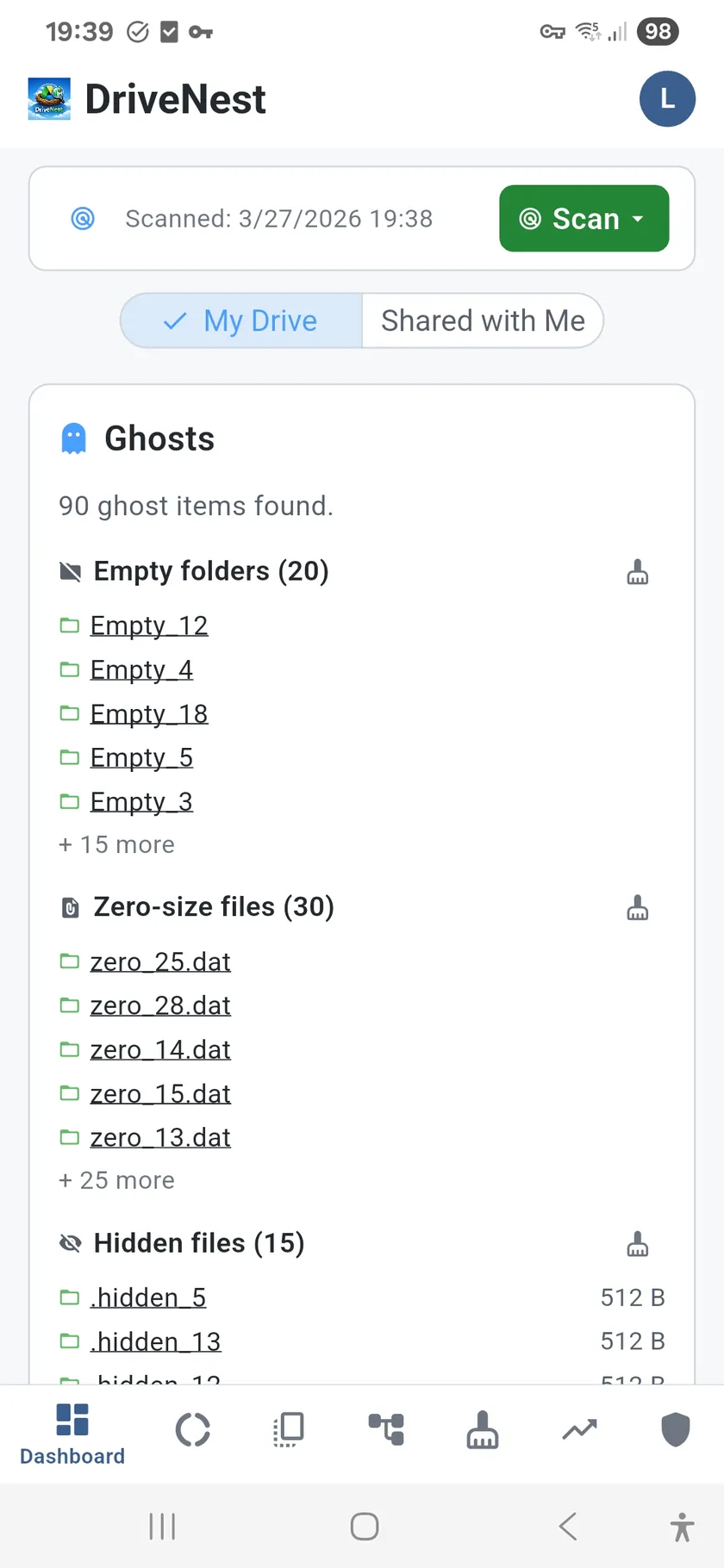
Empty folders, zero-size files, orphaned items, temporary files — invisible clutter that adds up.
Ghost file detection

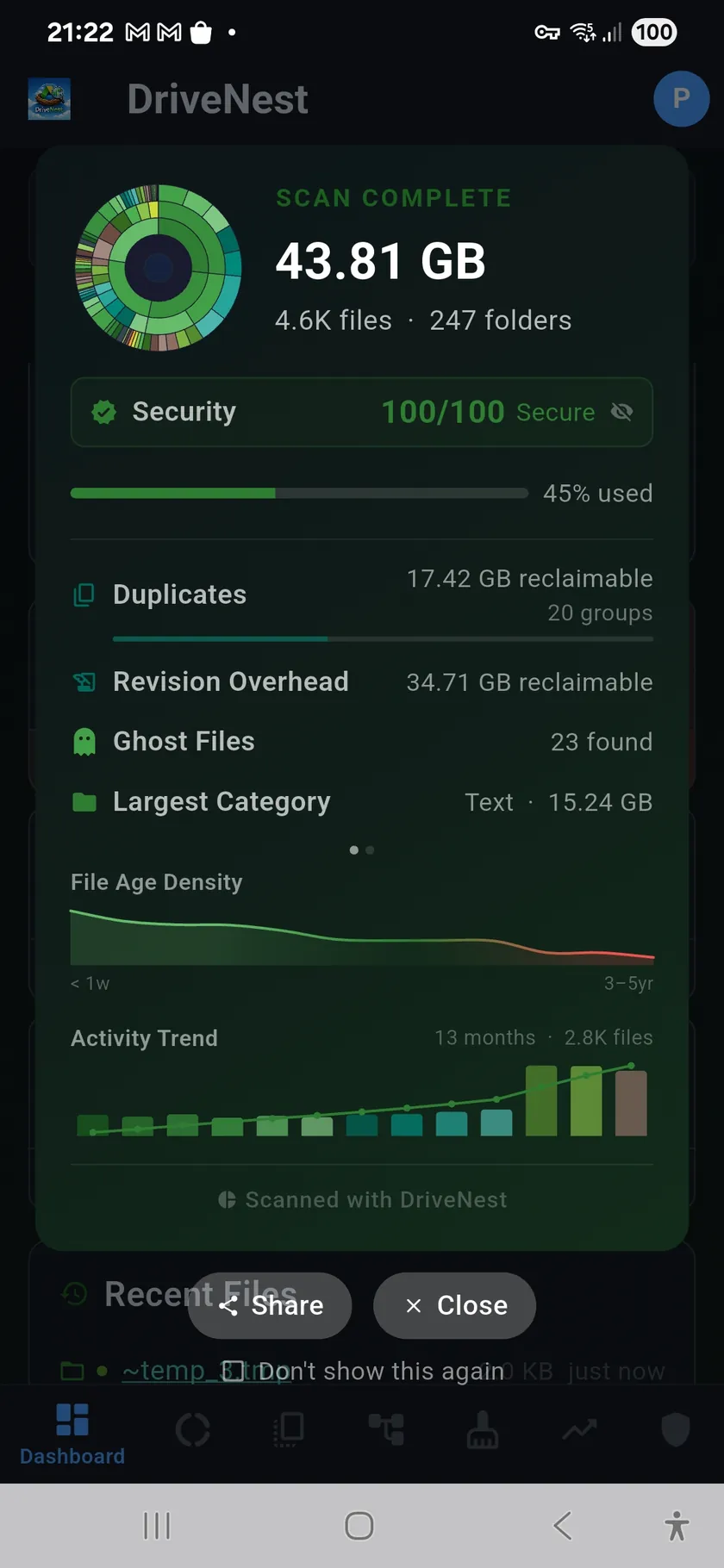
DriveNest scans for files and folders that Google Drive's UI hides: empty folders, zero-byte files, hidden items, and orphaned files whose parent was deleted. These don't show up in normal browsing but clutter your hierarchy and waste your time.
🗃

Same file, 6 copies, 3 GB wasted

MD5 checksums find the copies. Smart heuristics tell you which ones are safe to remove.

Reclaim wasted space

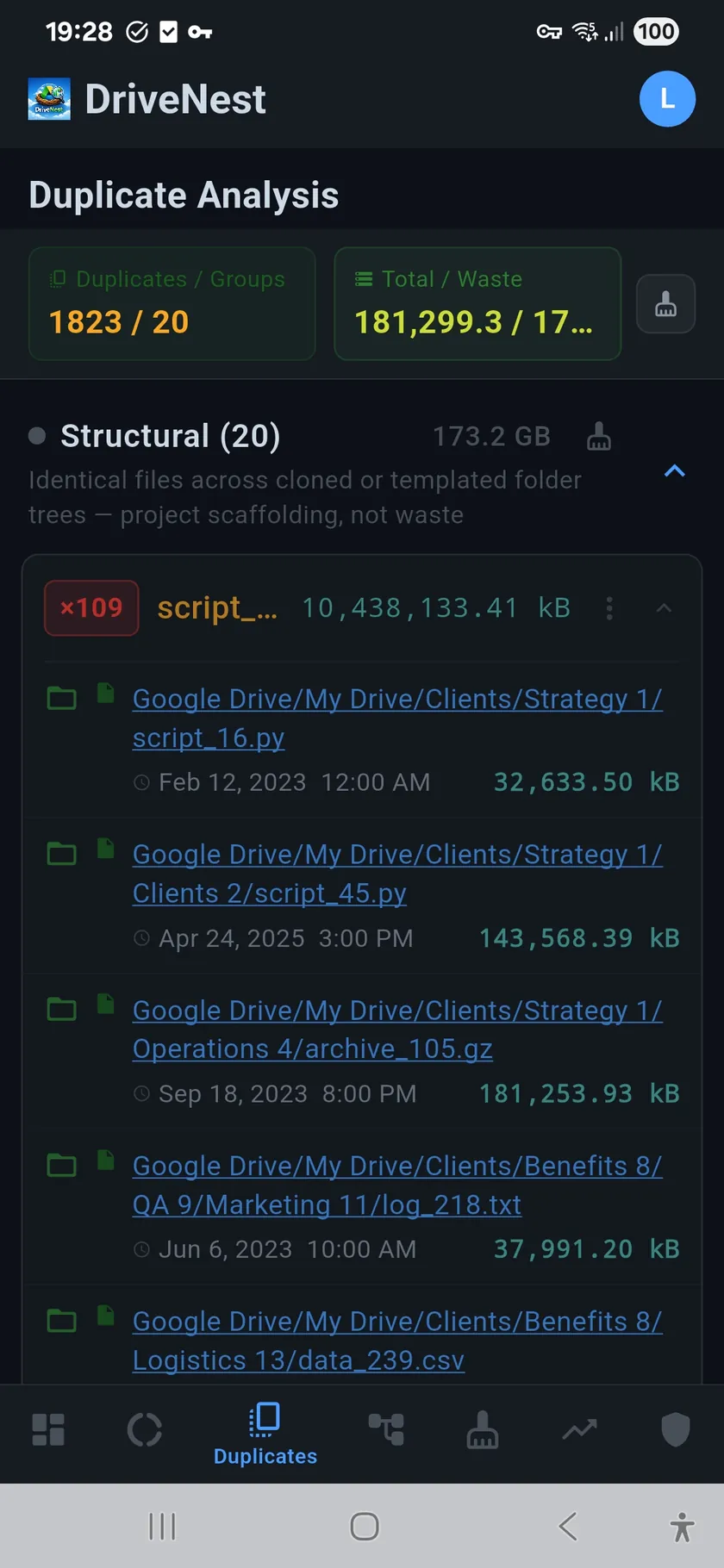
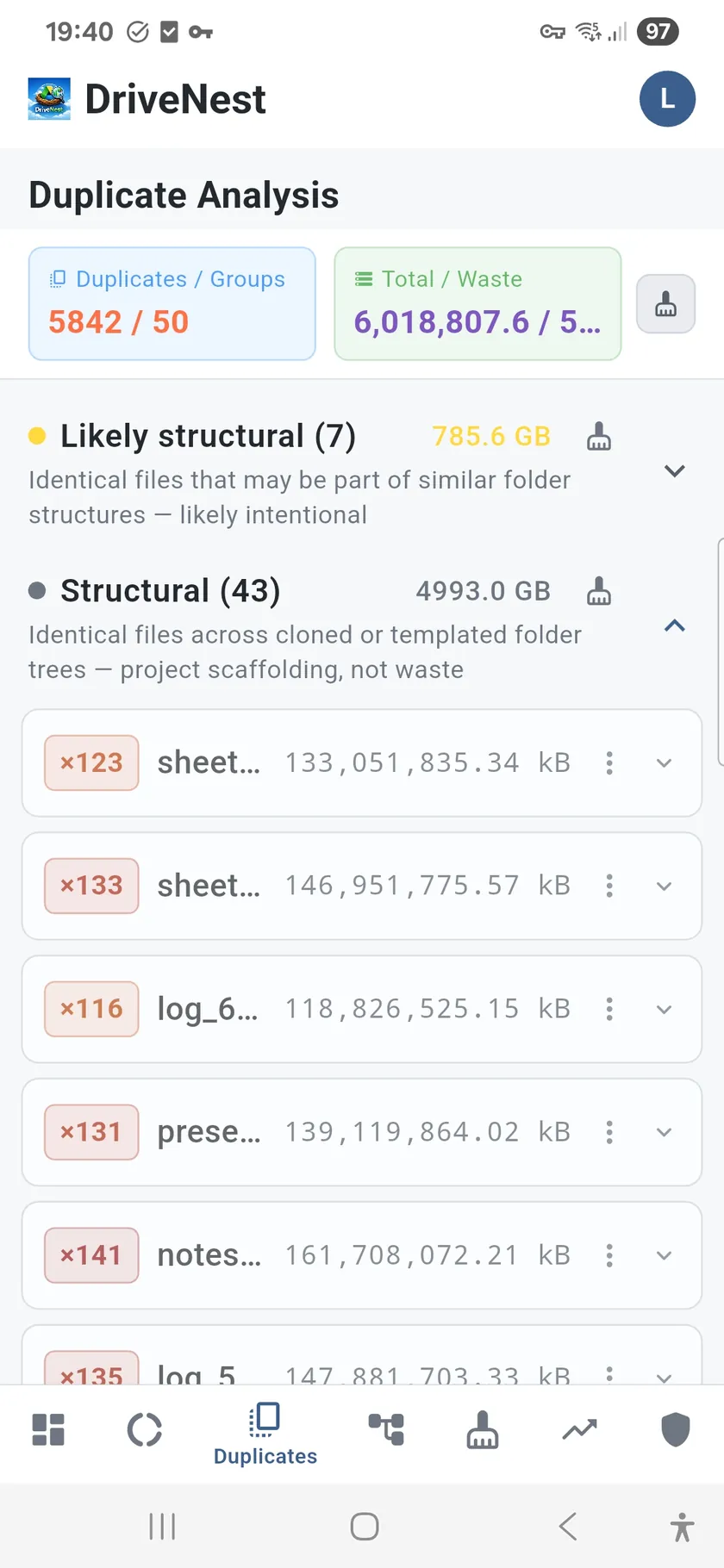
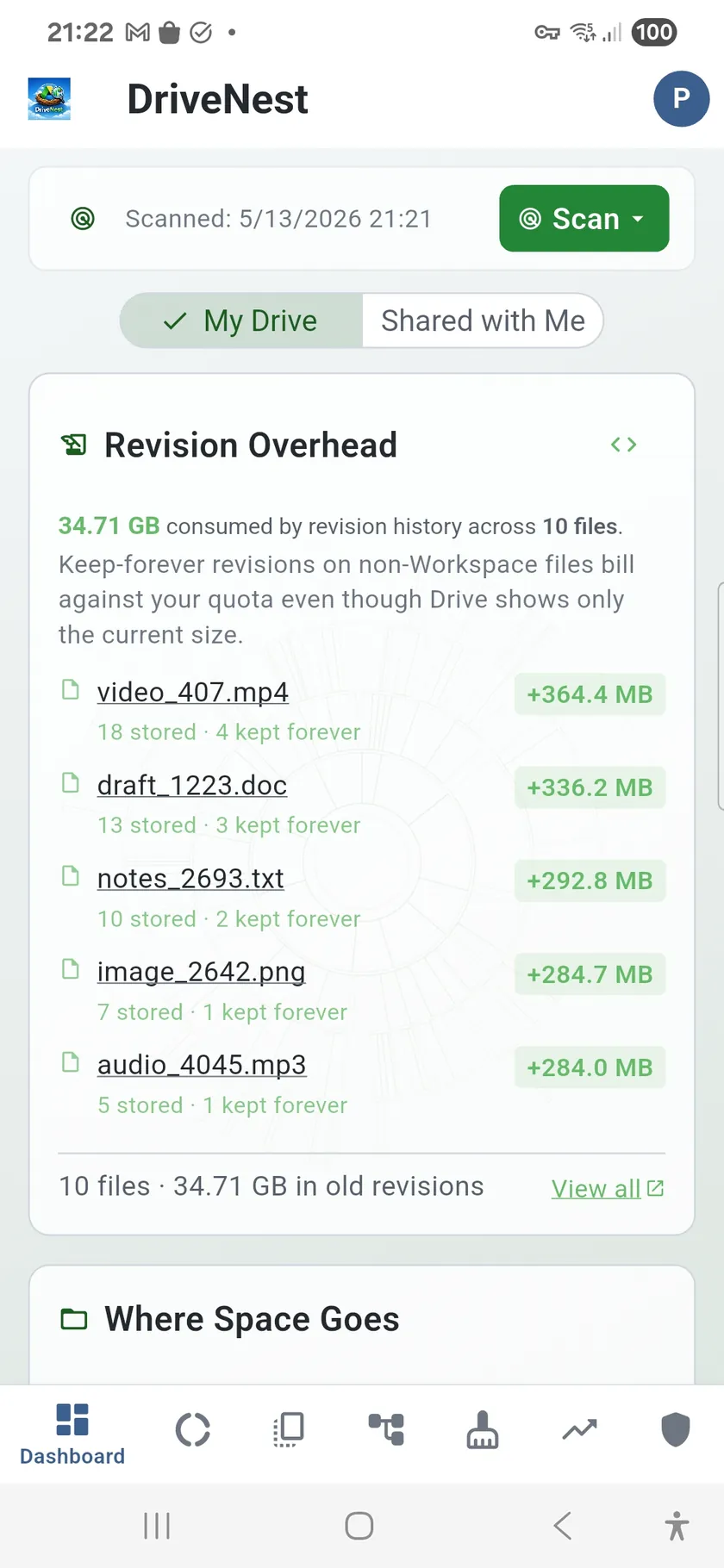
MD5 detection is just the start — any tool can match checksums. DriveNest goes further with heuristic scoring that analyzes path depth, folder structure, and access patterns to classify each duplicate as waste or structural (templates, shared scaffolding). You only clean what's actually safe. Users typically reclaim 20–40% of storage.

🧹

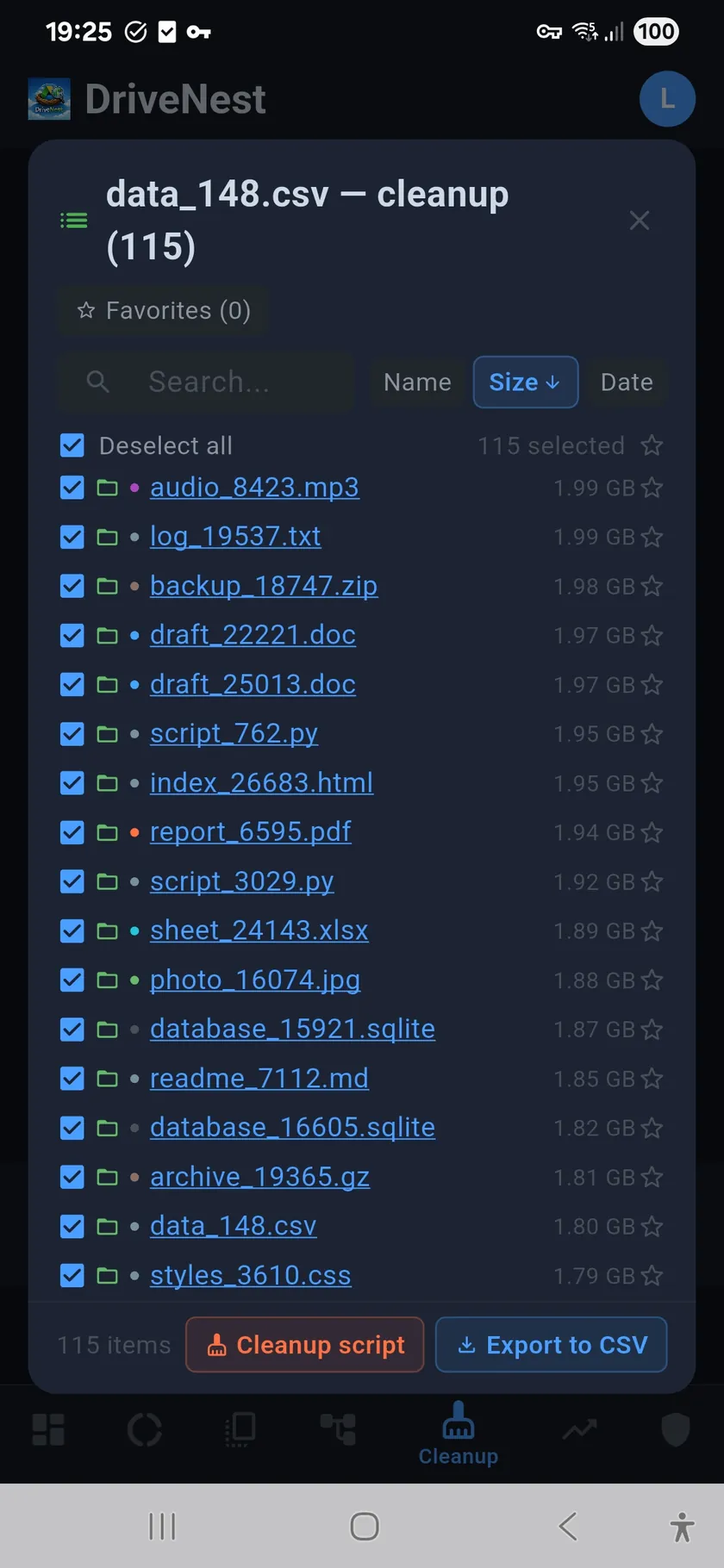
One-click cleanup, not manual deletion

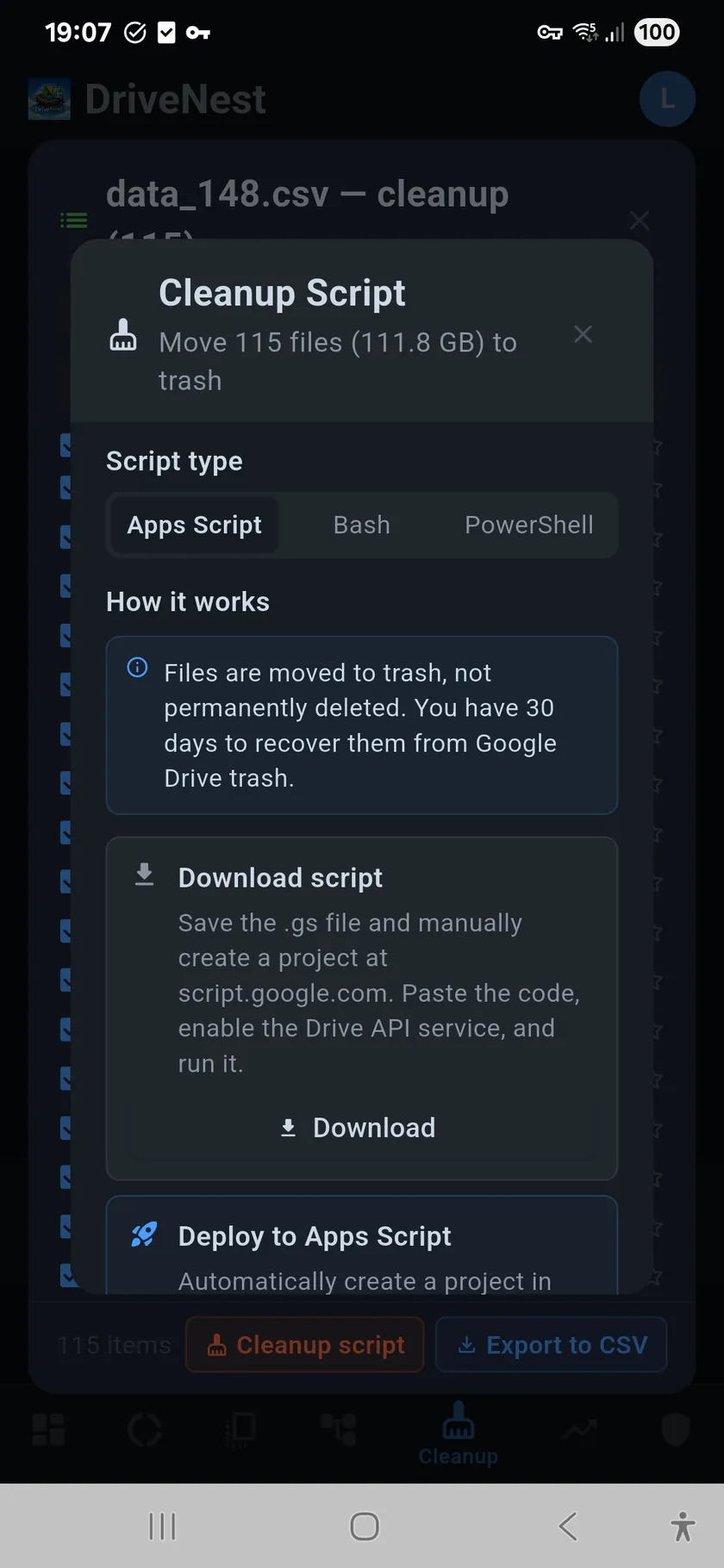
Every target gets a risk score. Generate a script, review it, run it yourself. 30-day undo.

Safe cleanup with full control

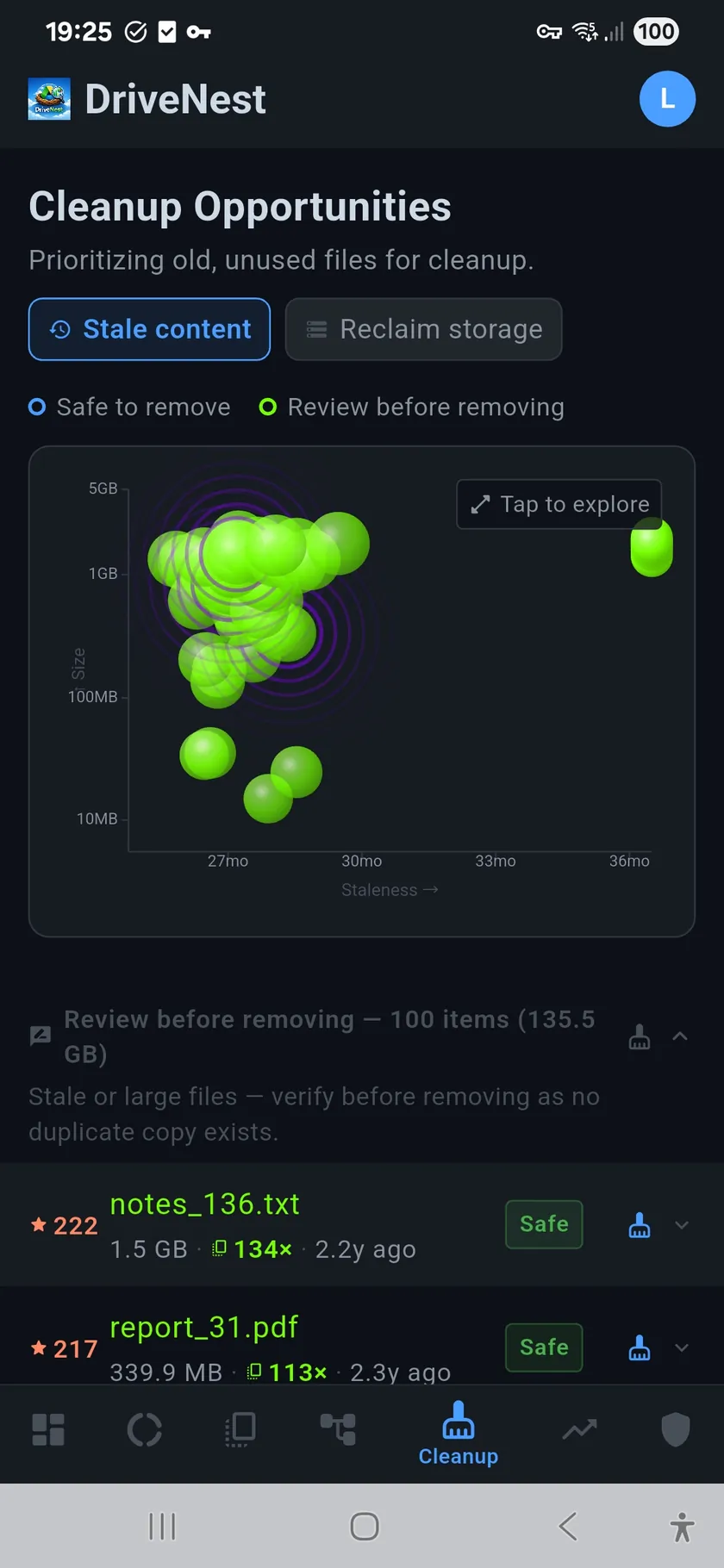
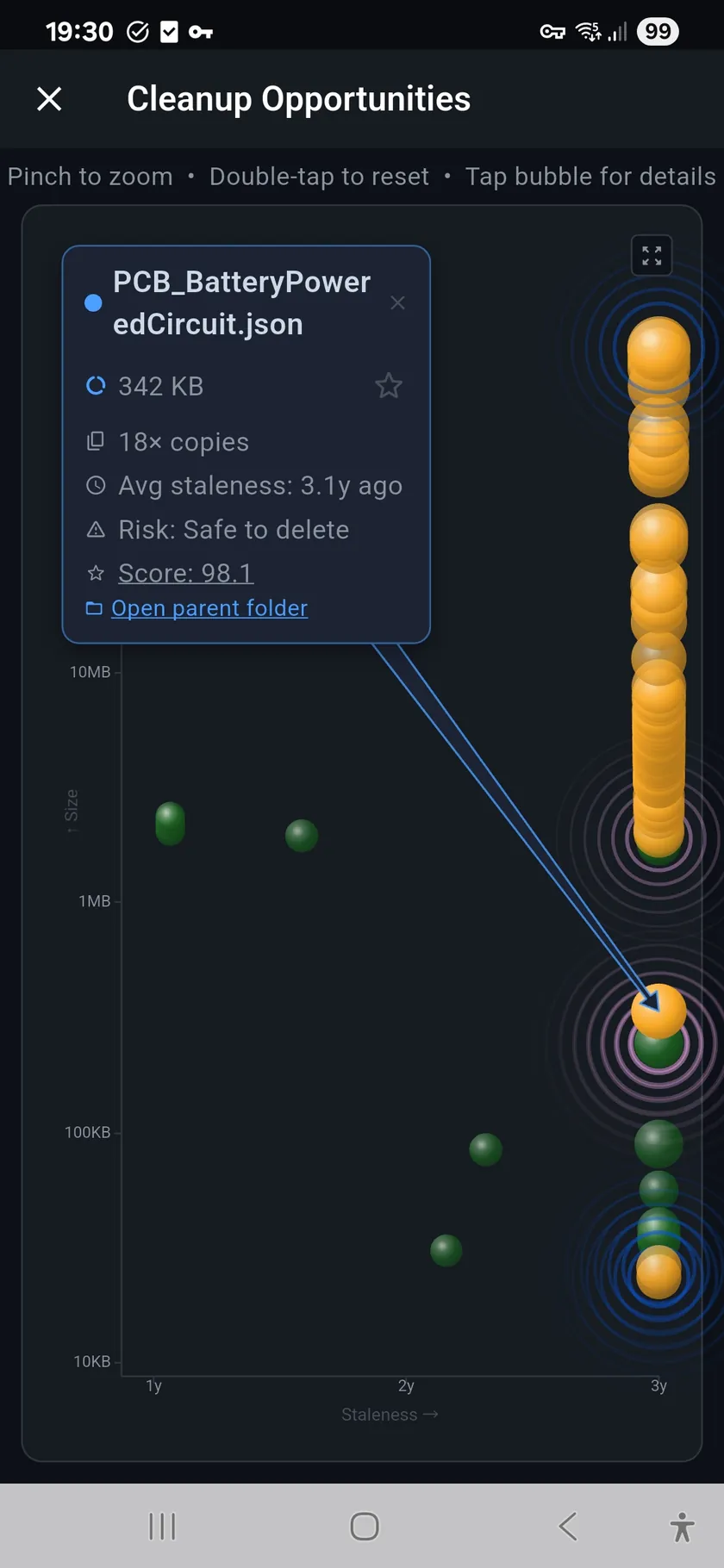
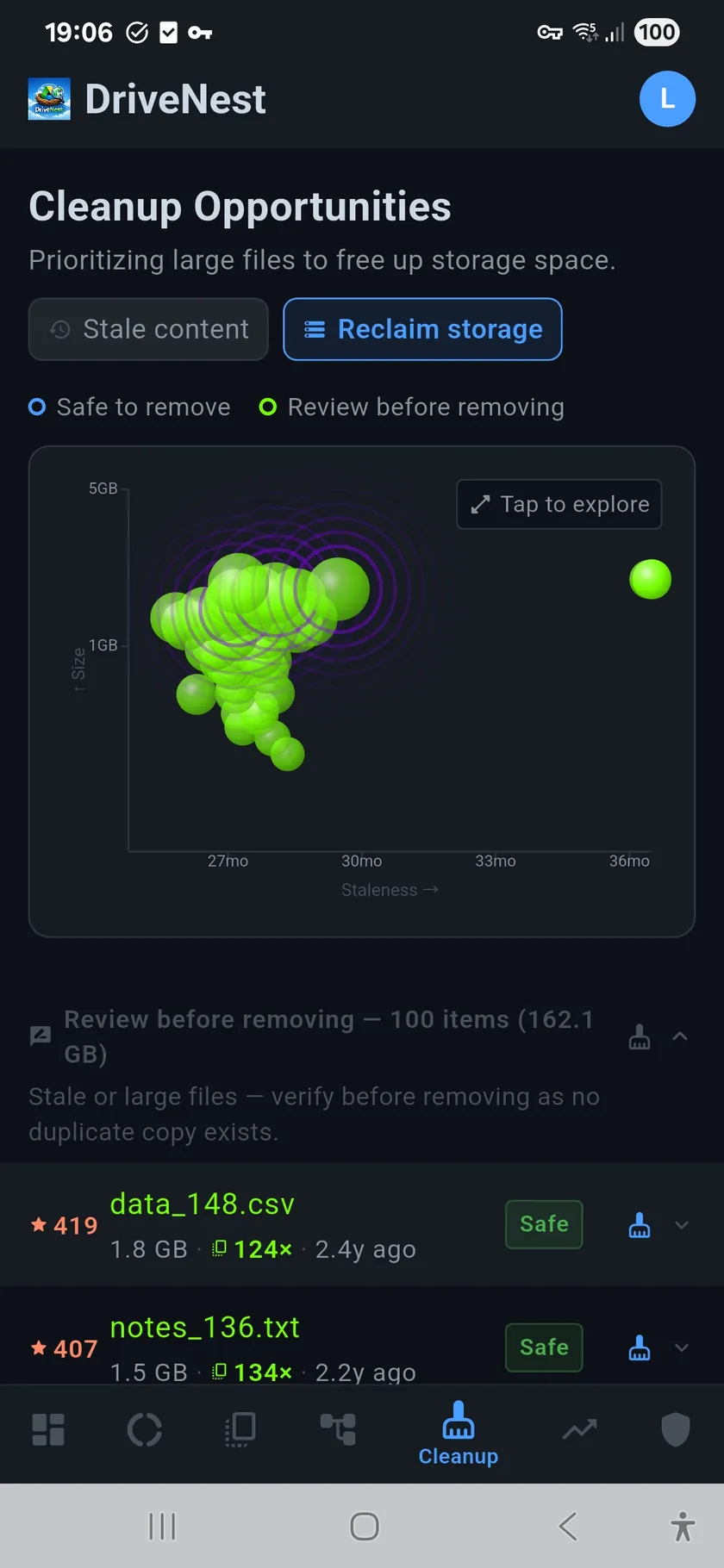
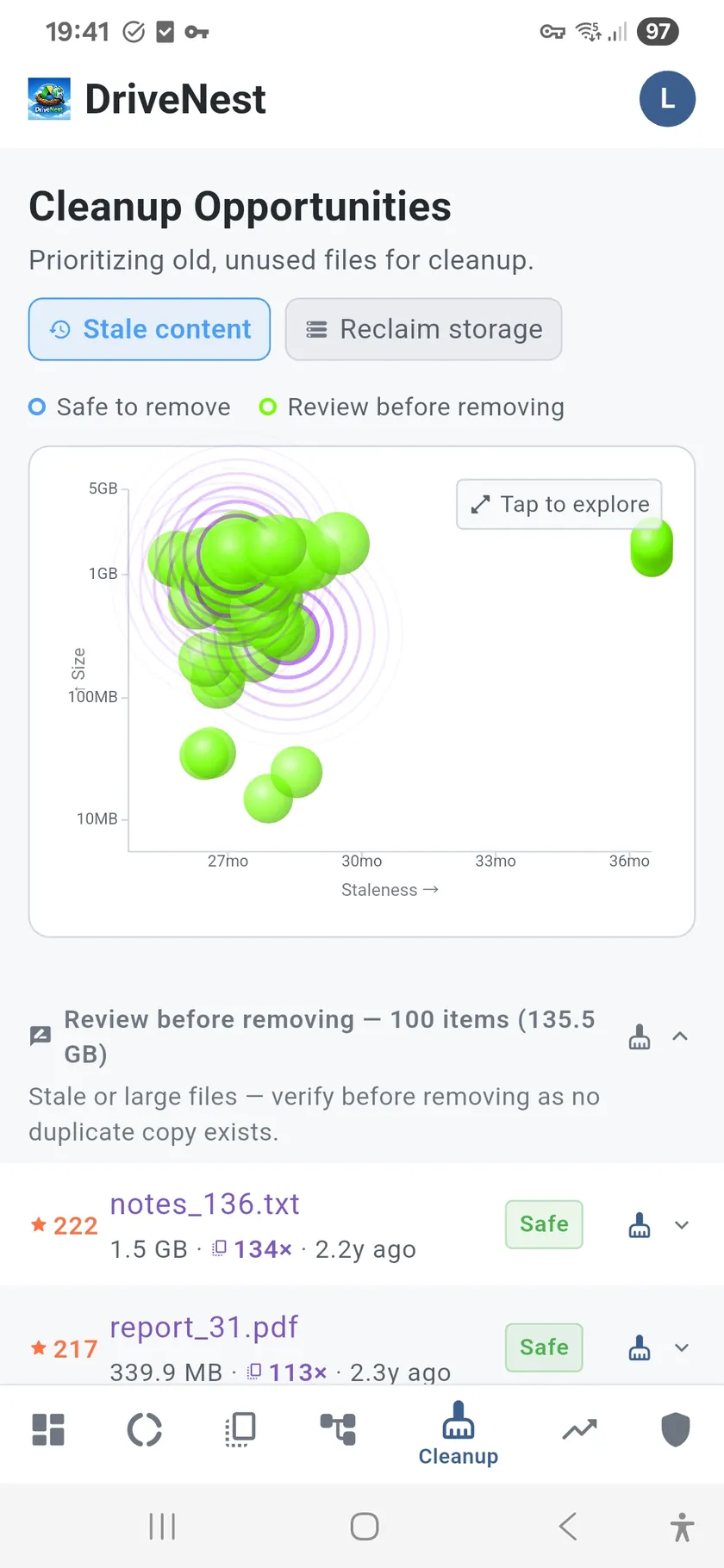
A bubble chart ranks targets by size, staleness, and duplicate burden. Generate Apps Script, Bash, or PowerShell — deploy to your Google account with one tap. Files go to trash, never permanently deleted. DriveNest never touches your files directly.

🛡

My Drive security score was 43/100

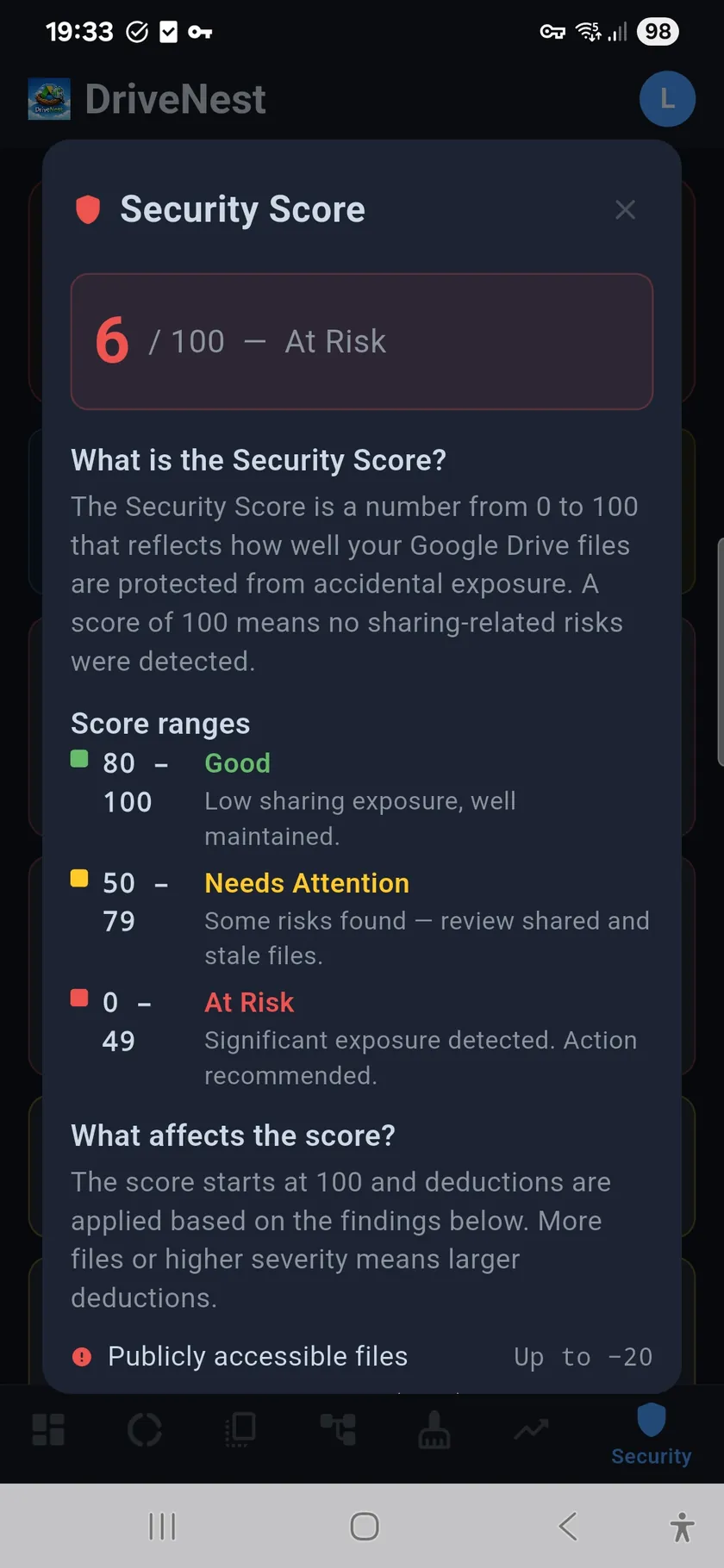
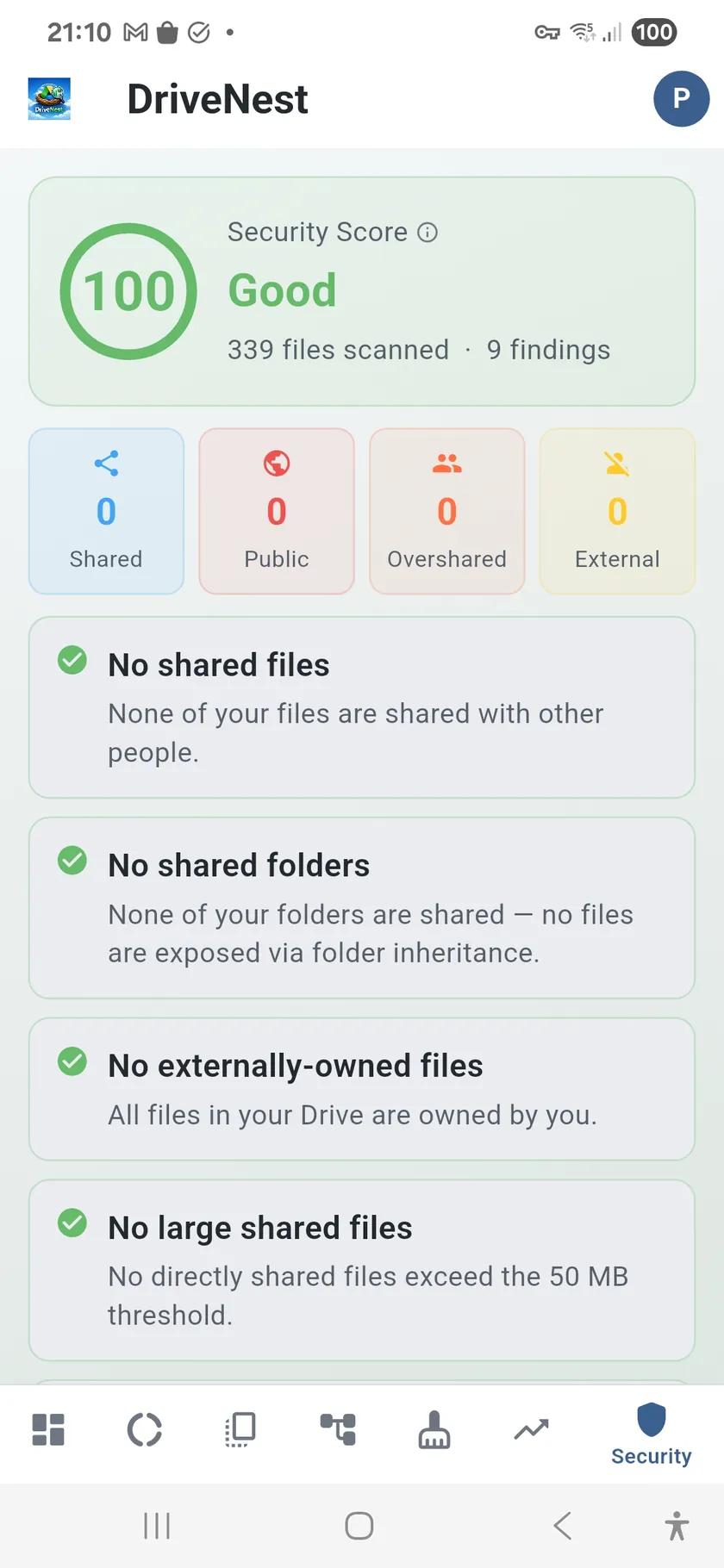
An automated audit scores your sharing exposure. Public files, oversharing, forgotten access — all flagged.

Know who has access

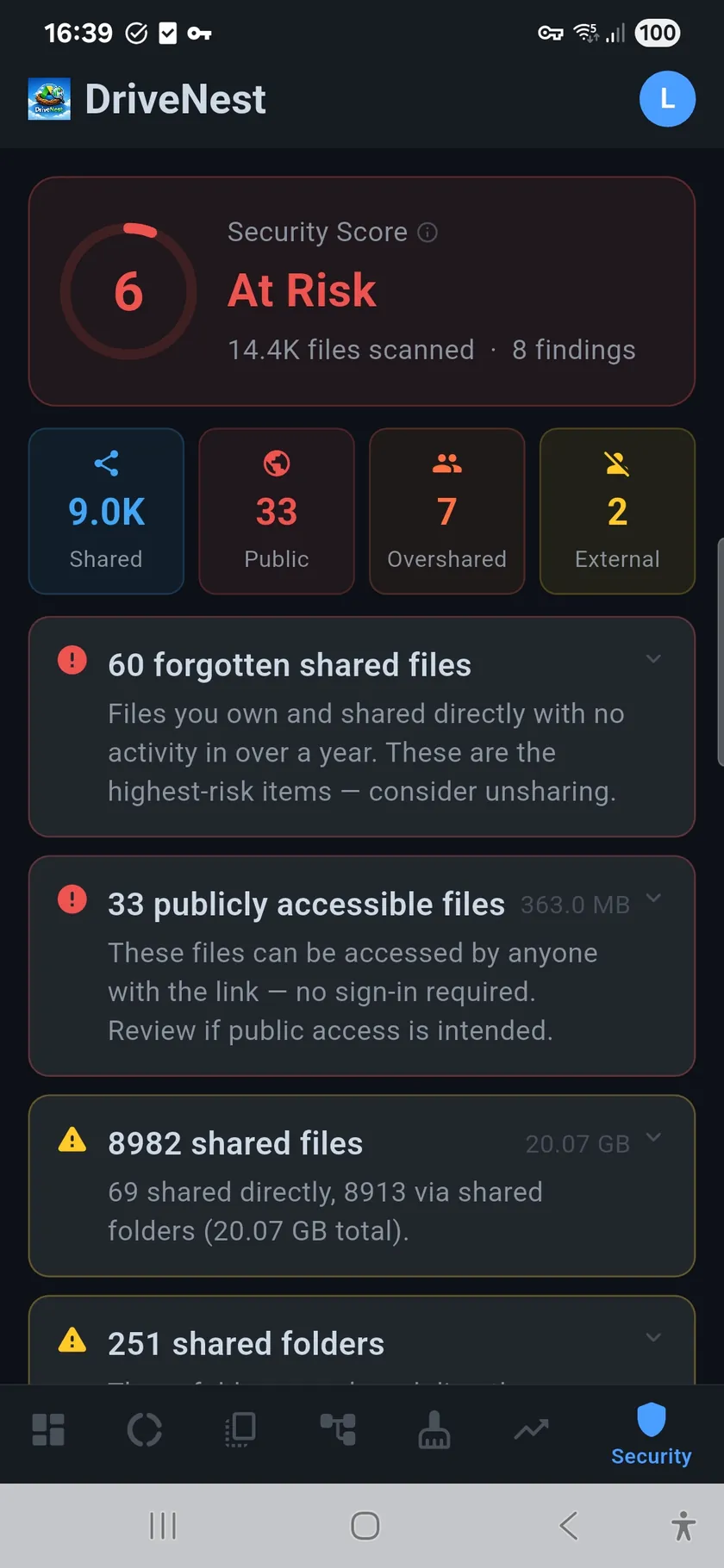
A 0–100 security score based on real sharing data. Detects publicly accessible files, folders shared with 20+ people, and documents your ex-colleague can still open. Separates direct shares from inherited folder sharing so you fix the root cause, not symptoms.

🚫

Former colleague still has access

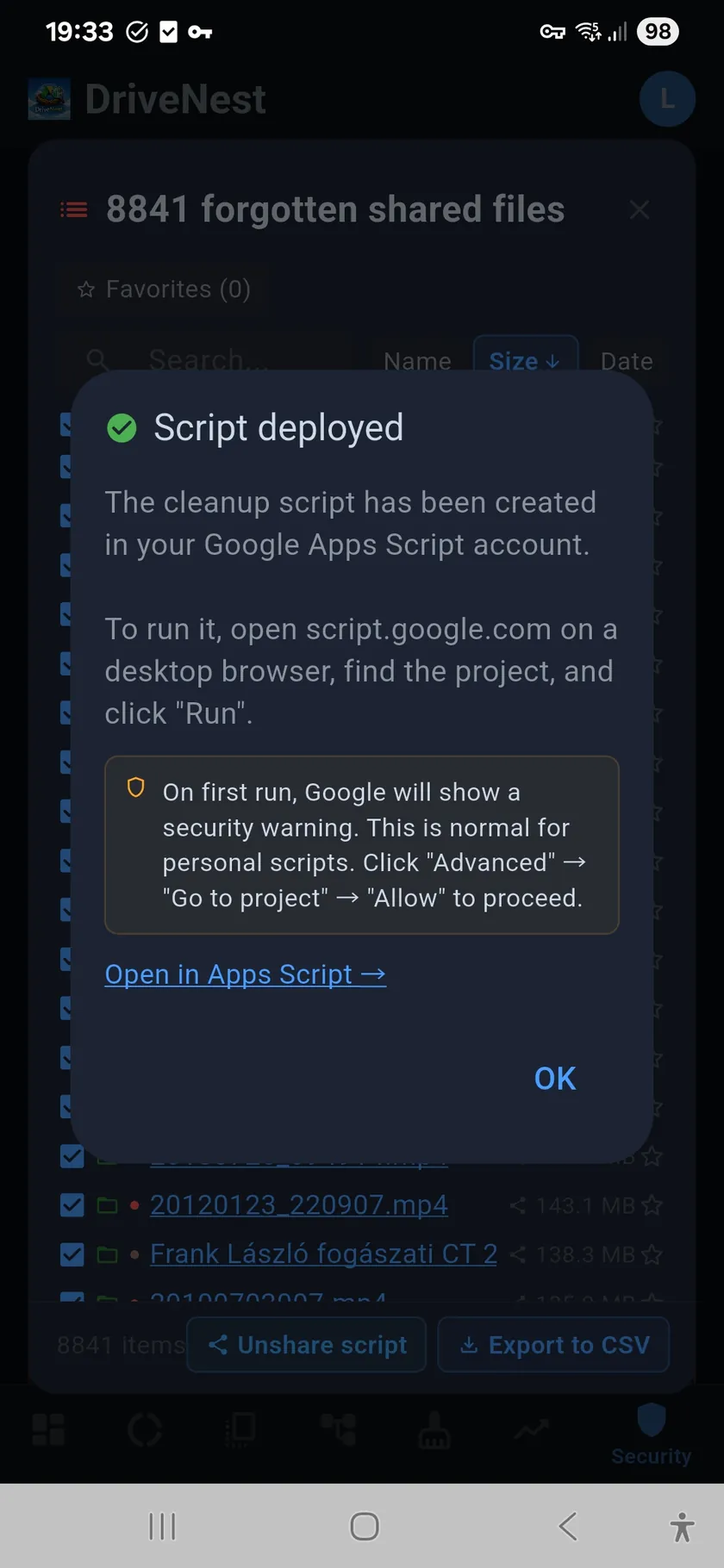
Files shared years ago are still accessible. DriveNest finds them and generates unshare scripts.

Revoke forgotten sharing in bulk

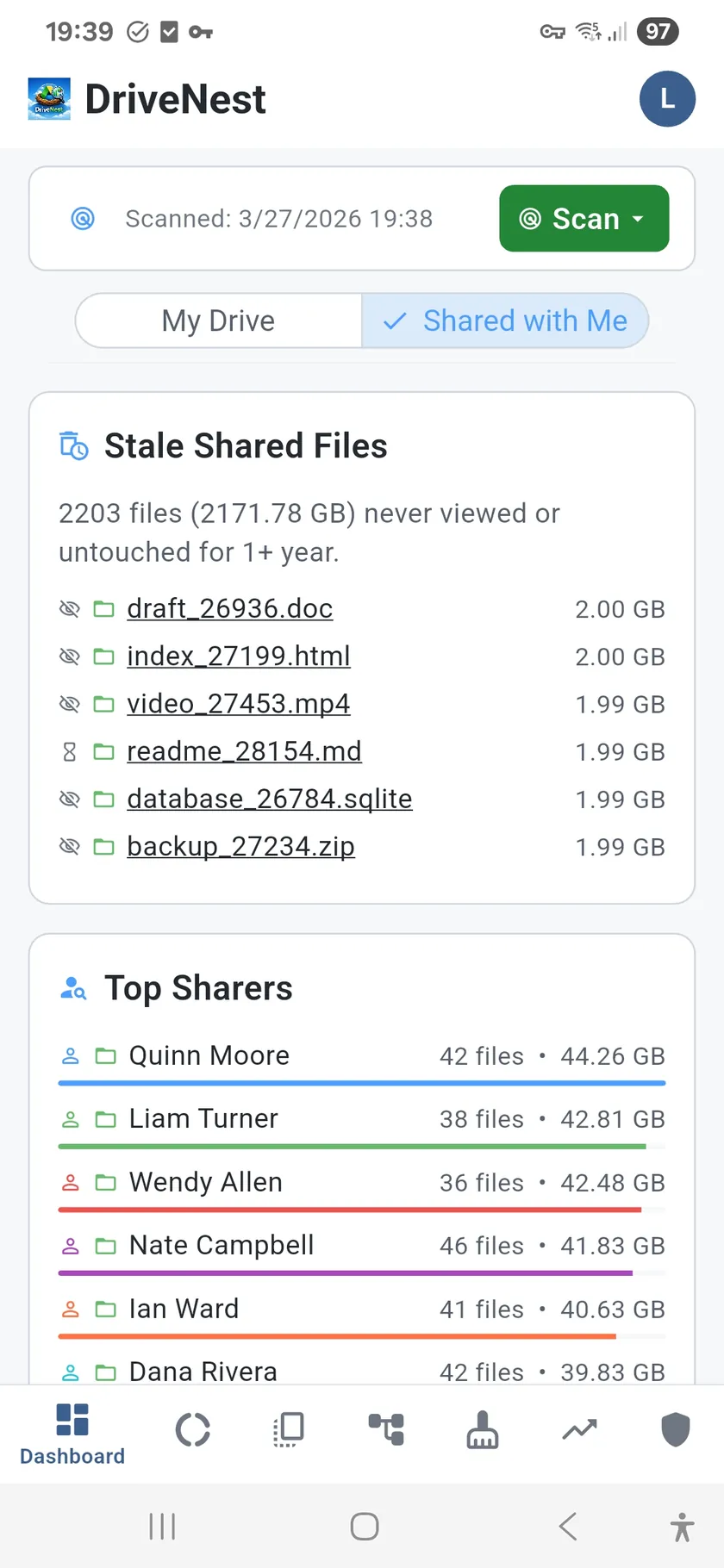
Forgotten shared files are a silent risk. DriveNest surfaces stale shares (6+ months), files you own but never unshared, and "anyone with the link" documents. Generate an unshare script to remove all non-owner permissions across hundreds of files at once.

📈

Storage grew 4 GB in 3 months — where?

Compare scans over time. Spot spikes. Set budgets. Get alerted before you run out.

Your Drive health over time

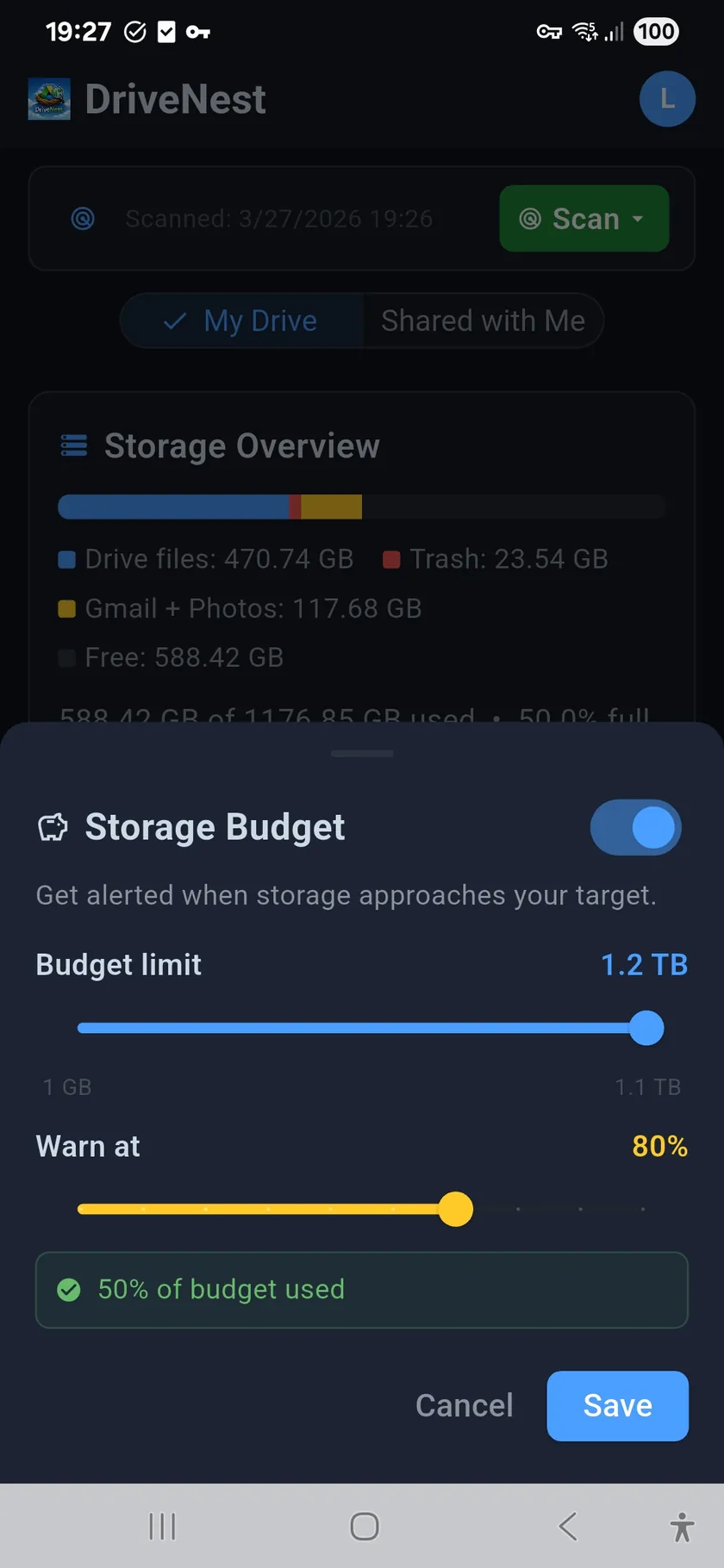
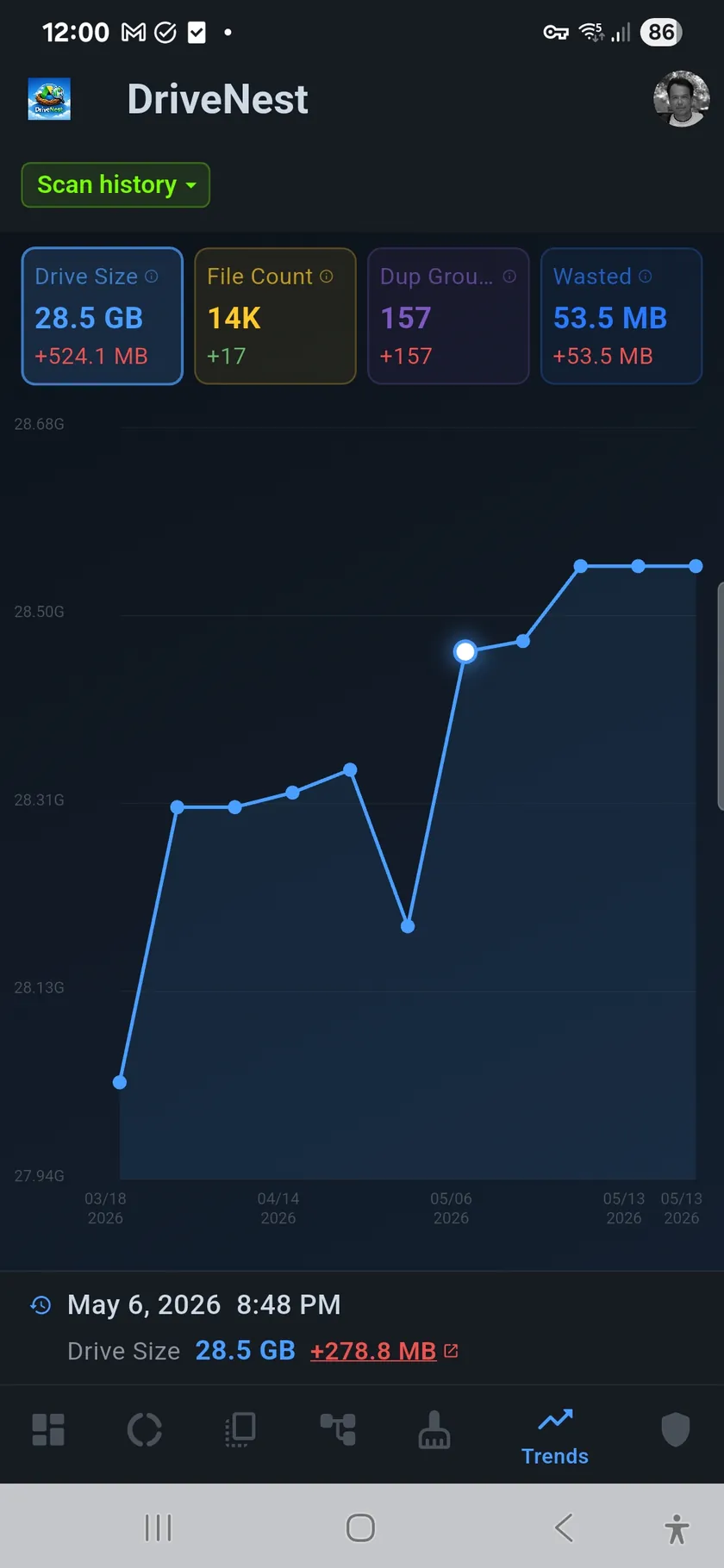
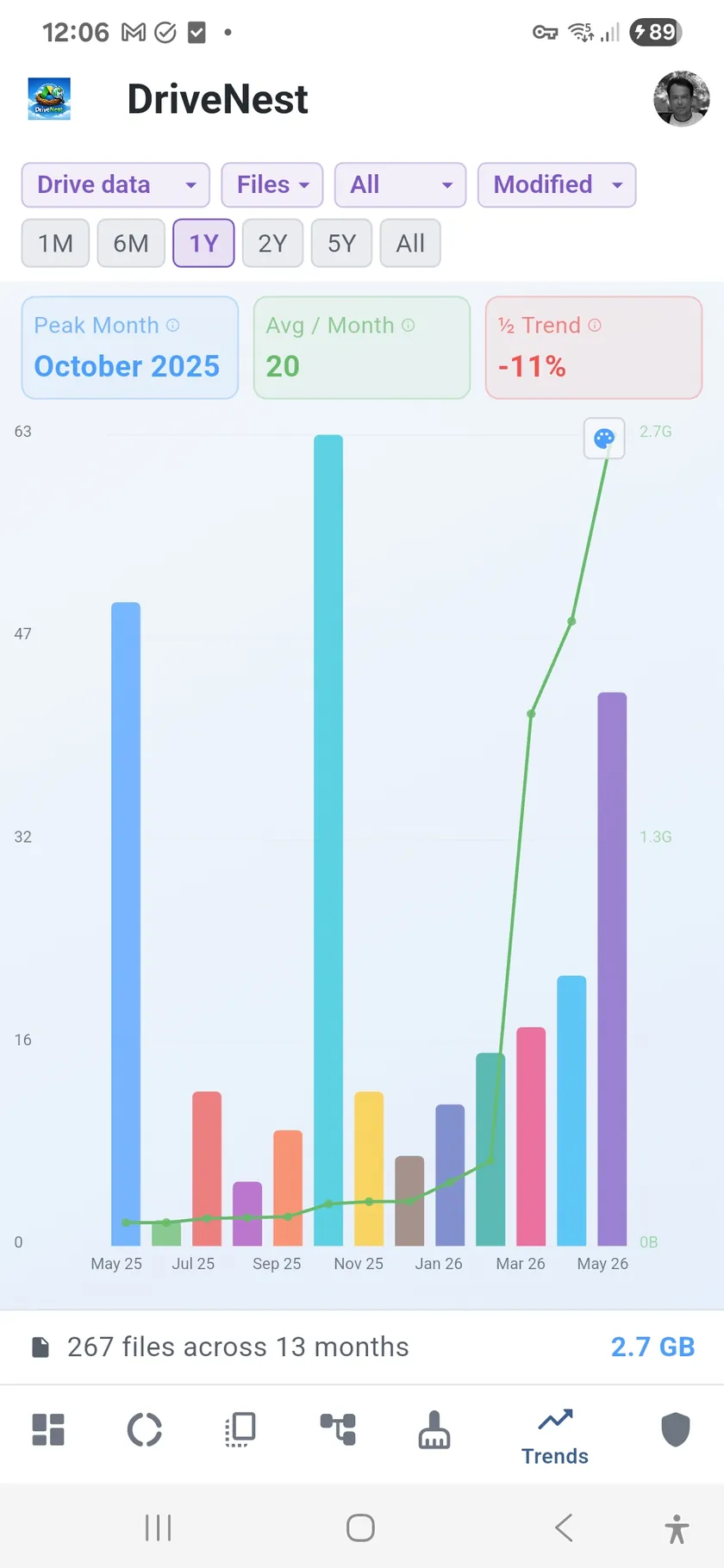
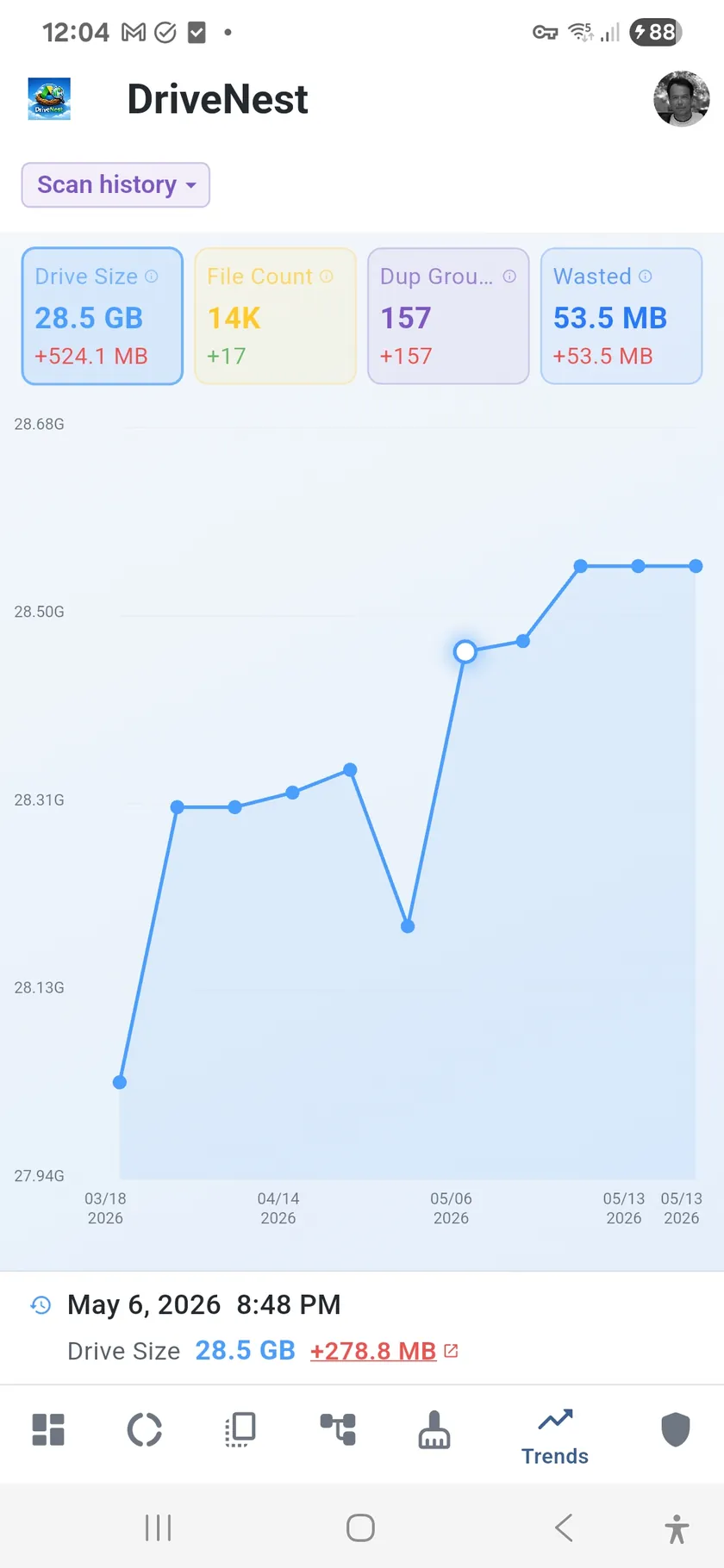
Saved scan snapshots let you compare storage, file counts, and duplicate growth month over month. Activity trends show when files were created and modified. Set a storage budget and get warned before Google charges you for the next tier.

Automatic monitoring, not manual check-ups

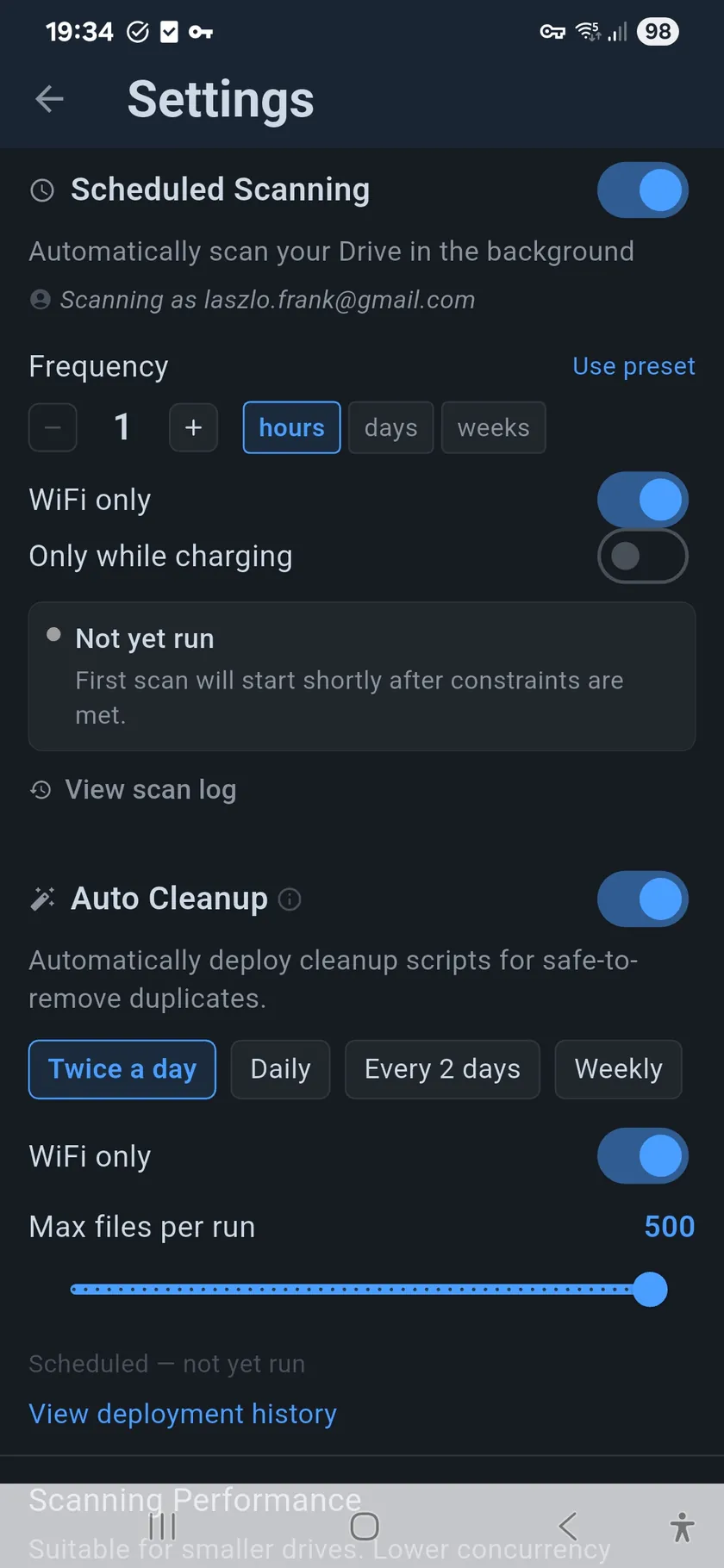
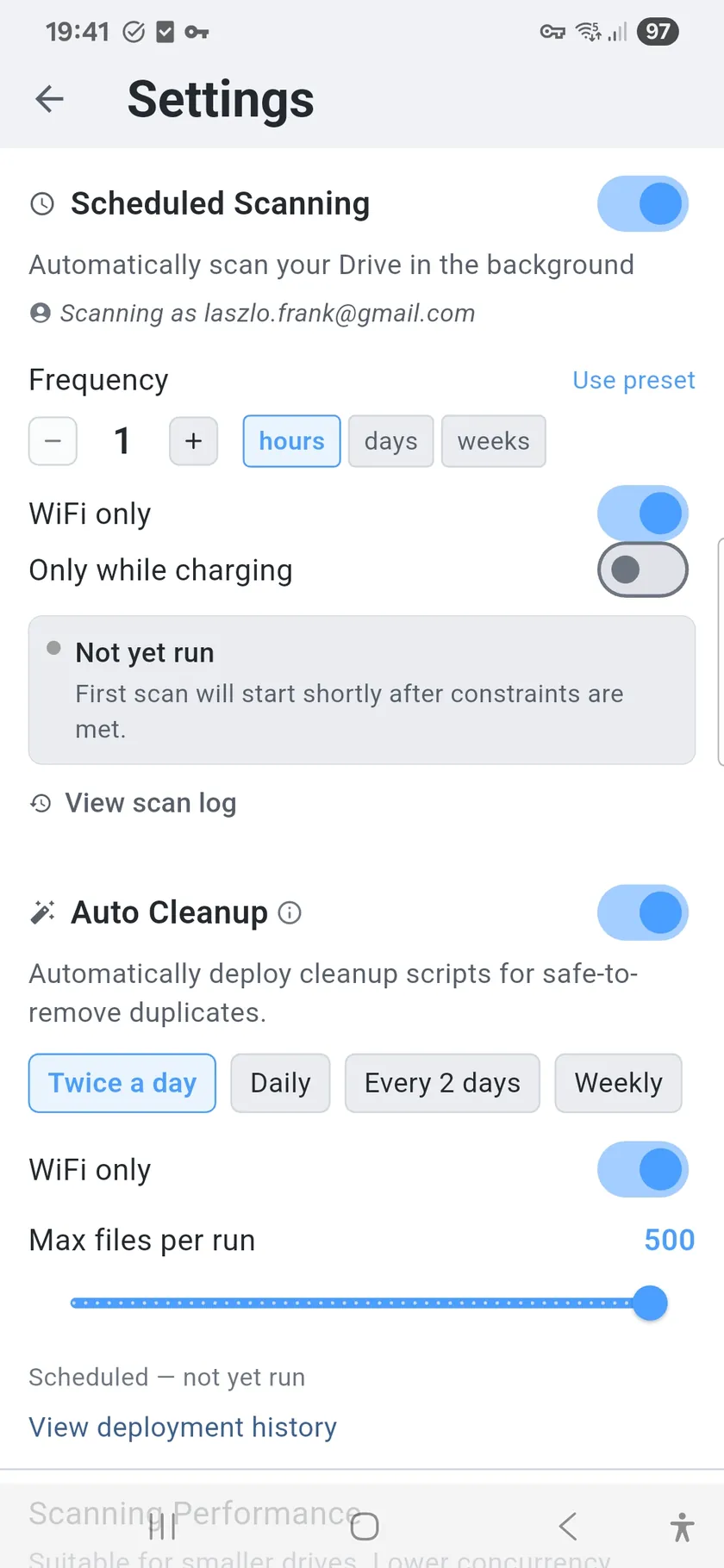
Scheduled scans keep your data fresh. Auto-cleanup deploys scripts for confirmed safe duplicates.

Set it and forget it

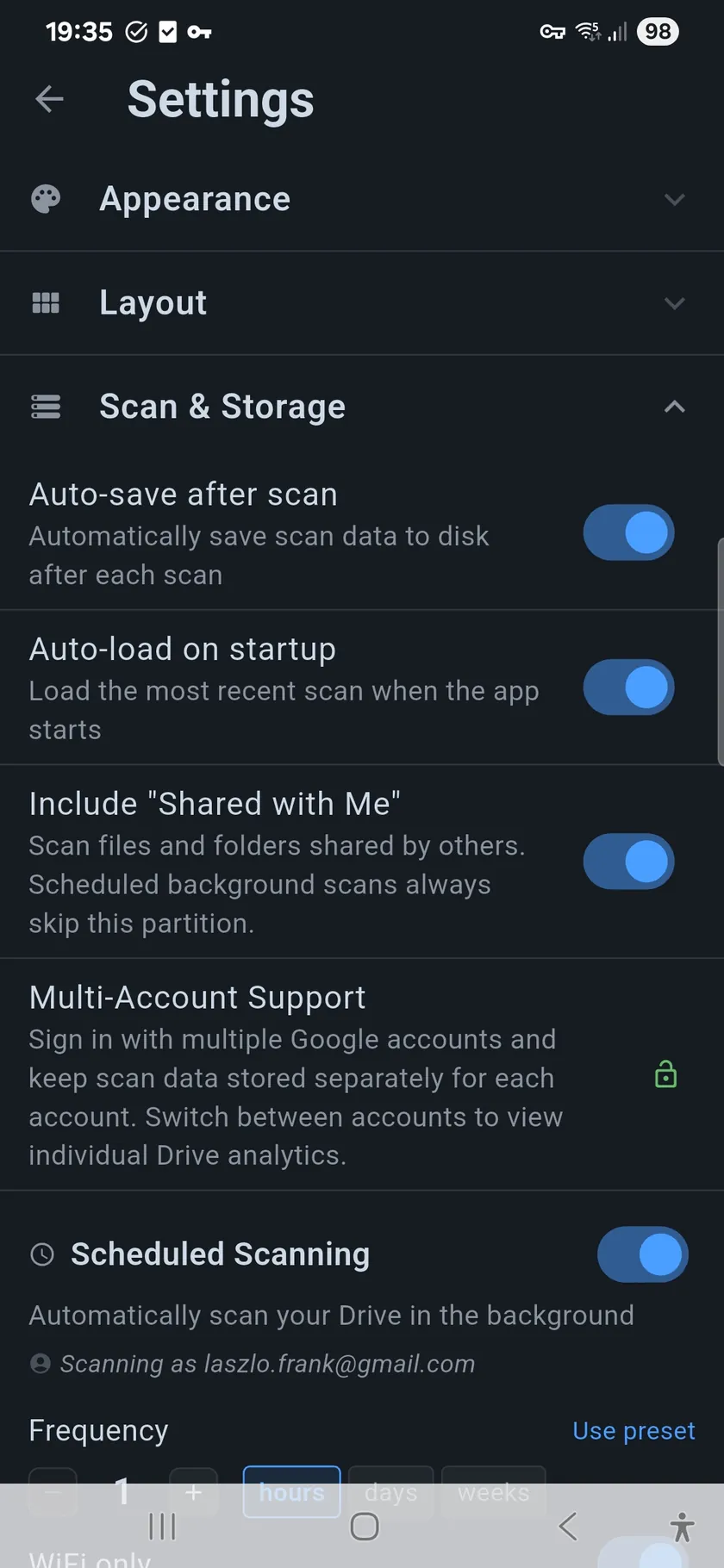
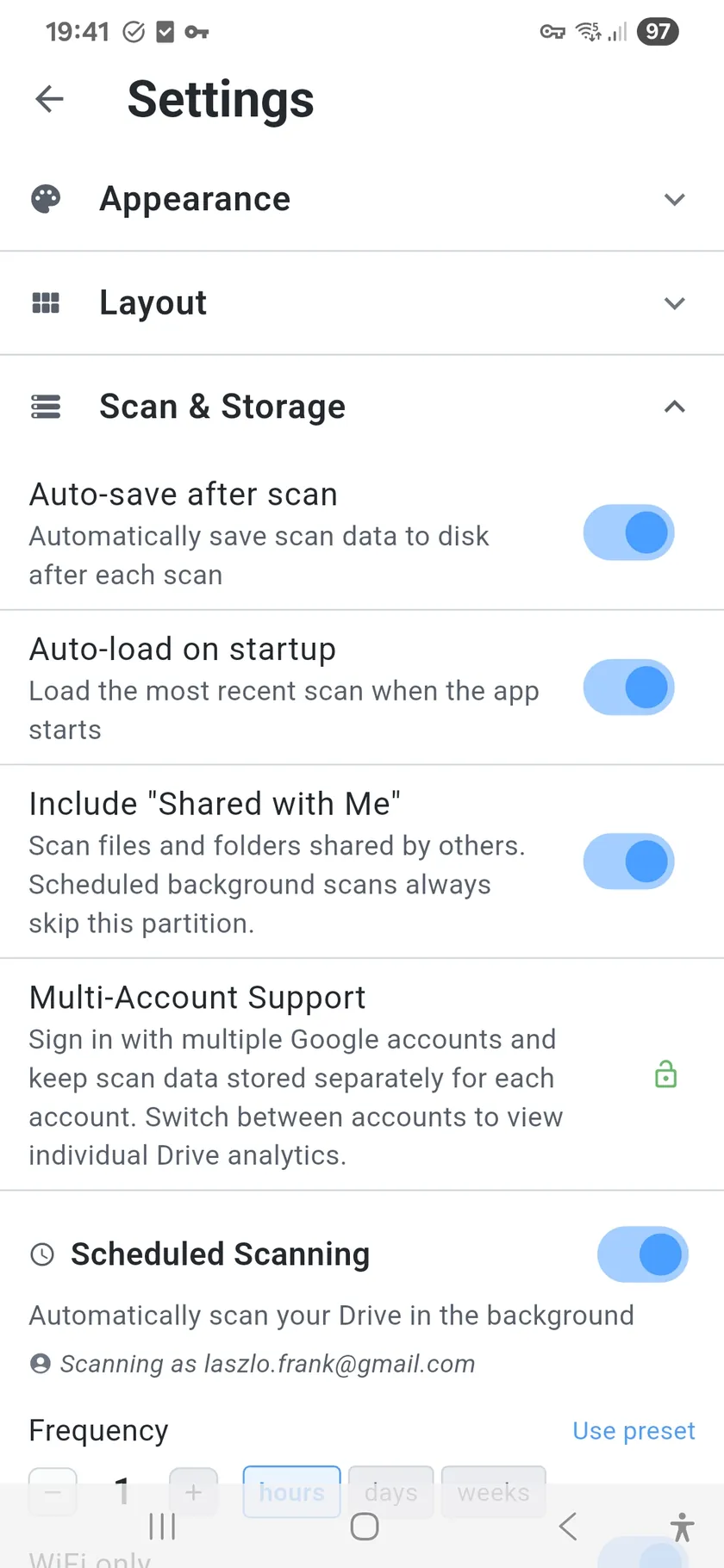
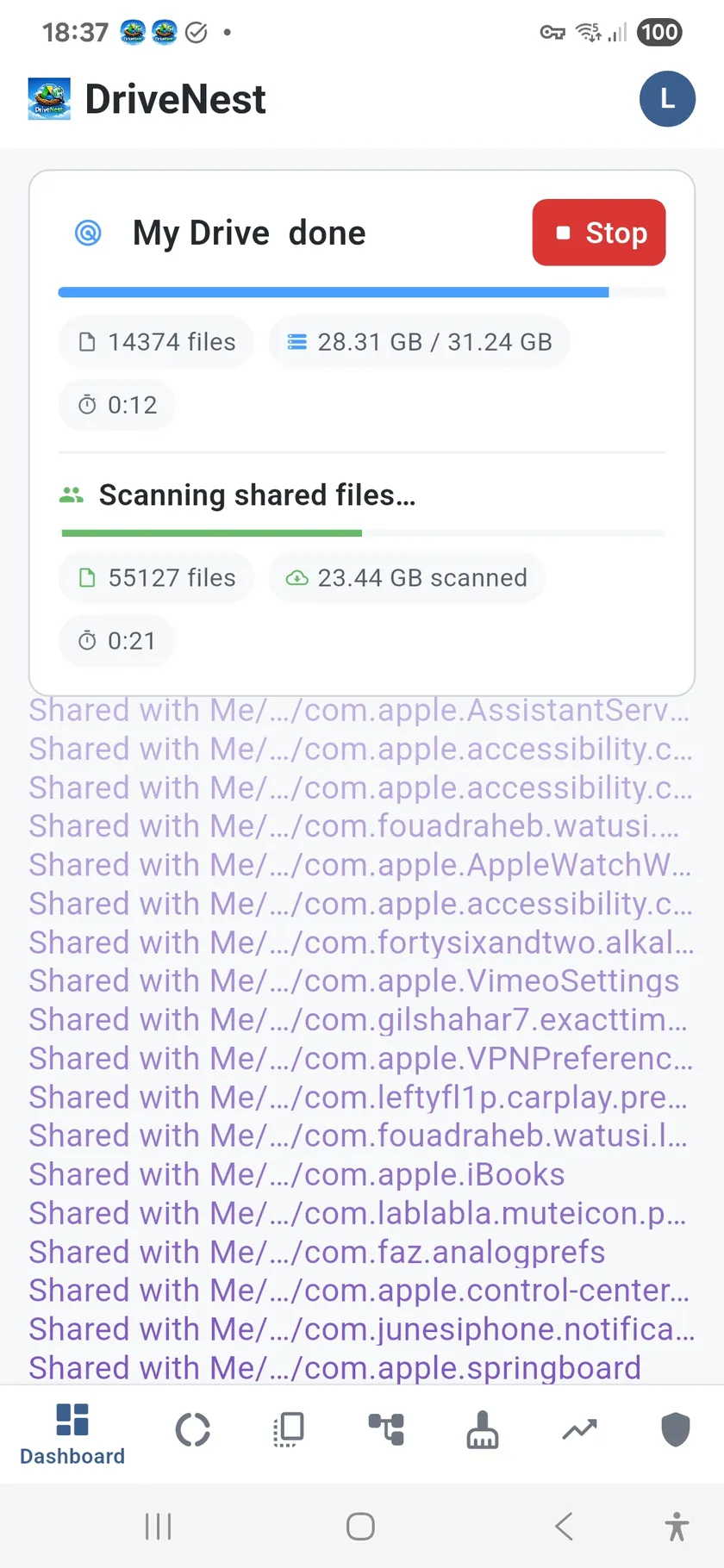
Background scans run on your schedule (4 hours to weekly). Incremental rescans complete in seconds. Ultimate subscribers get auto-deployed cleanup scripts. You still approve every action — automation prepares, you decide.

What Google shows you vs. what you're missing

Google Drive gives you a storage bar. Here's what DriveNest reveals behind it.

💡 Visibility

  • Google: Flat file list, storage total
  • DriveNest: Sunburst chart, 11 file categories, ghost detection, smart insights

🗃 Reclaim

  • Google: "Clean up space" button (deletes large files blindly)
  • DriveNest: MD5 dedup + heuristic waste scoring, risk-rated targets, cleanup scripts with 30-day undo

🛡 Protect

  • Google: Per-file sharing info (no overview, no scoring)
  • DriveNest: 0–100 security score, shared folder detection, bulk unshare scripts

📈 Track

  • Google: Current usage only (no history, no trends)
  • DriveNest: Scan snapshots, trend charts, storage budgets, scheduled monitoring

Google One tells you how much space is used. DriveNest tells you why — and gives you the tools to fix it.

Seven screens. One complete picture.

Each screen tackles a different aspect of your Drive. Together, they give you full visibility.

📊

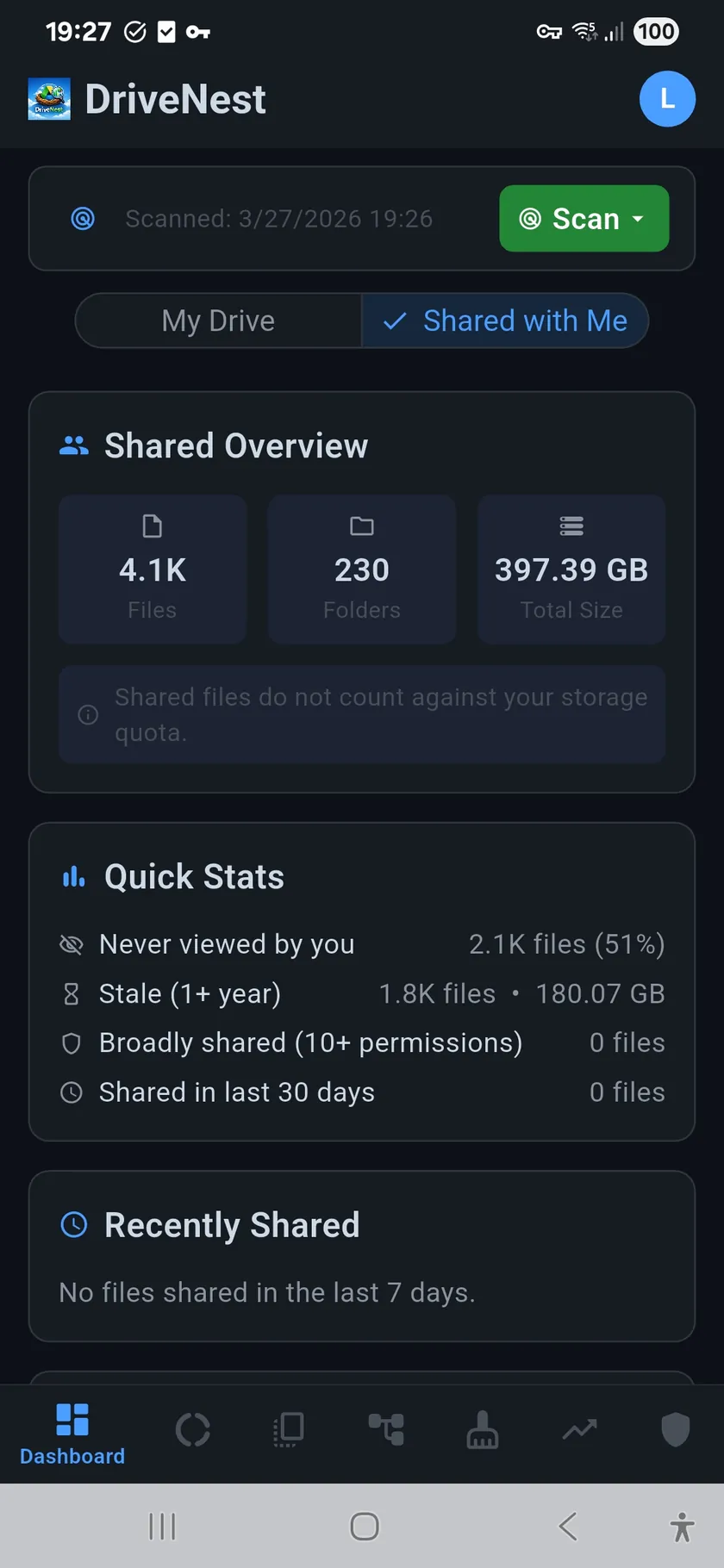
Dashboard

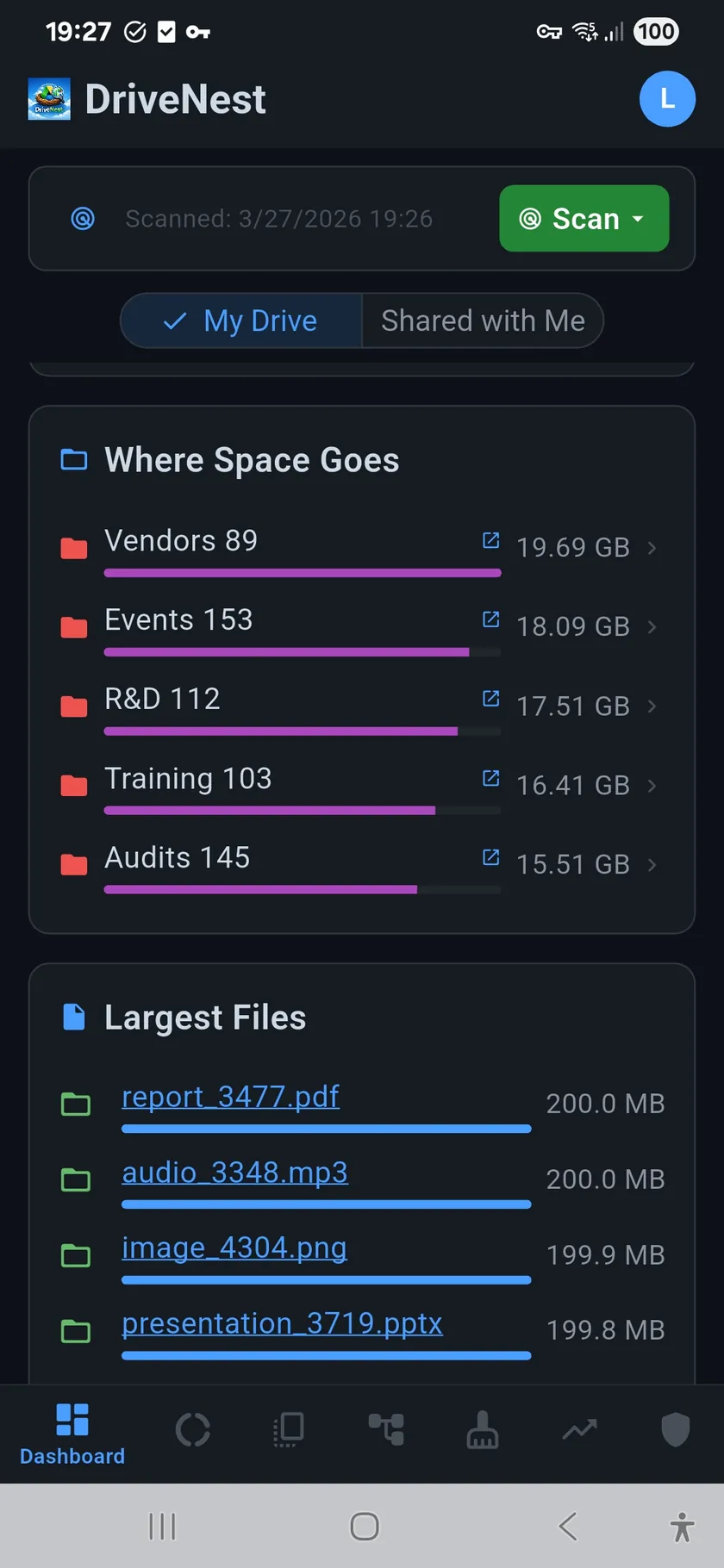
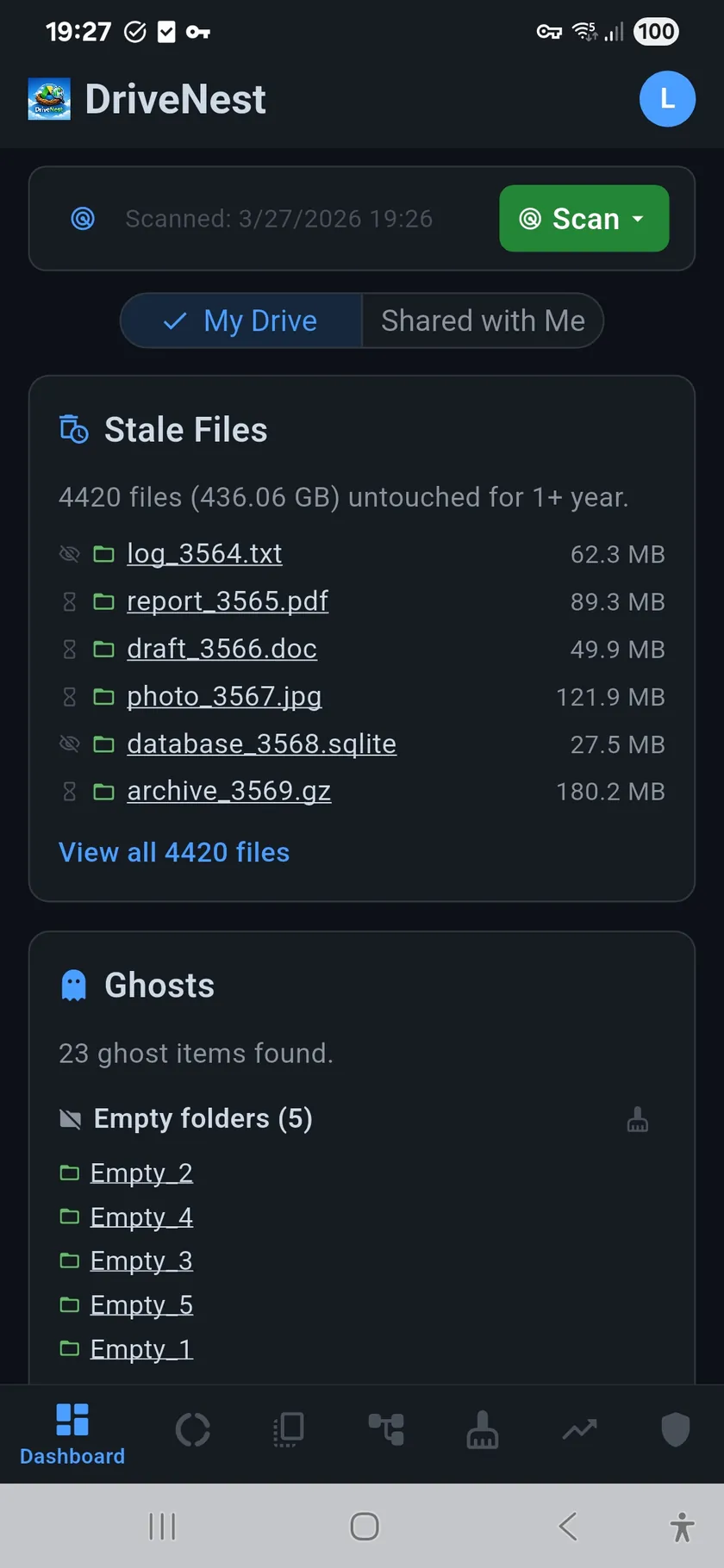
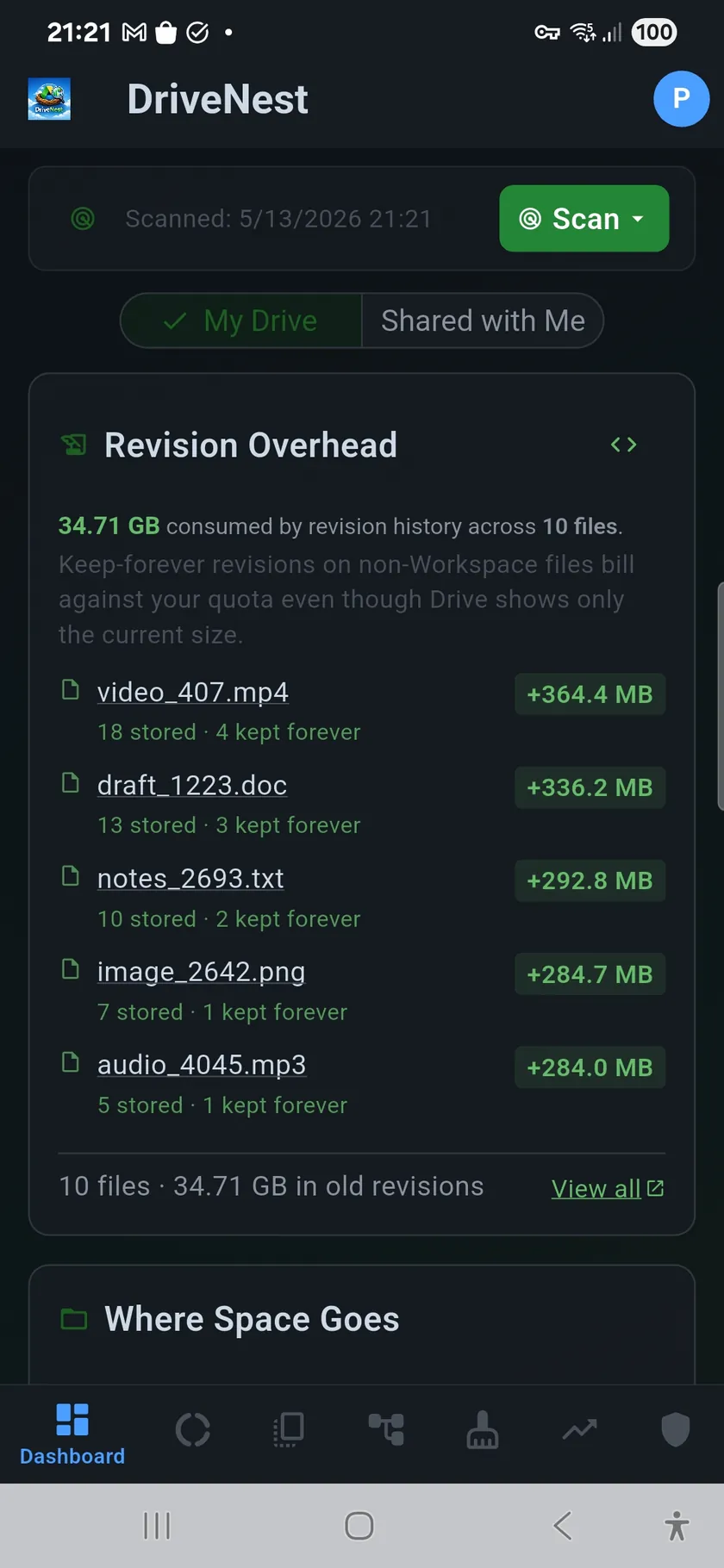
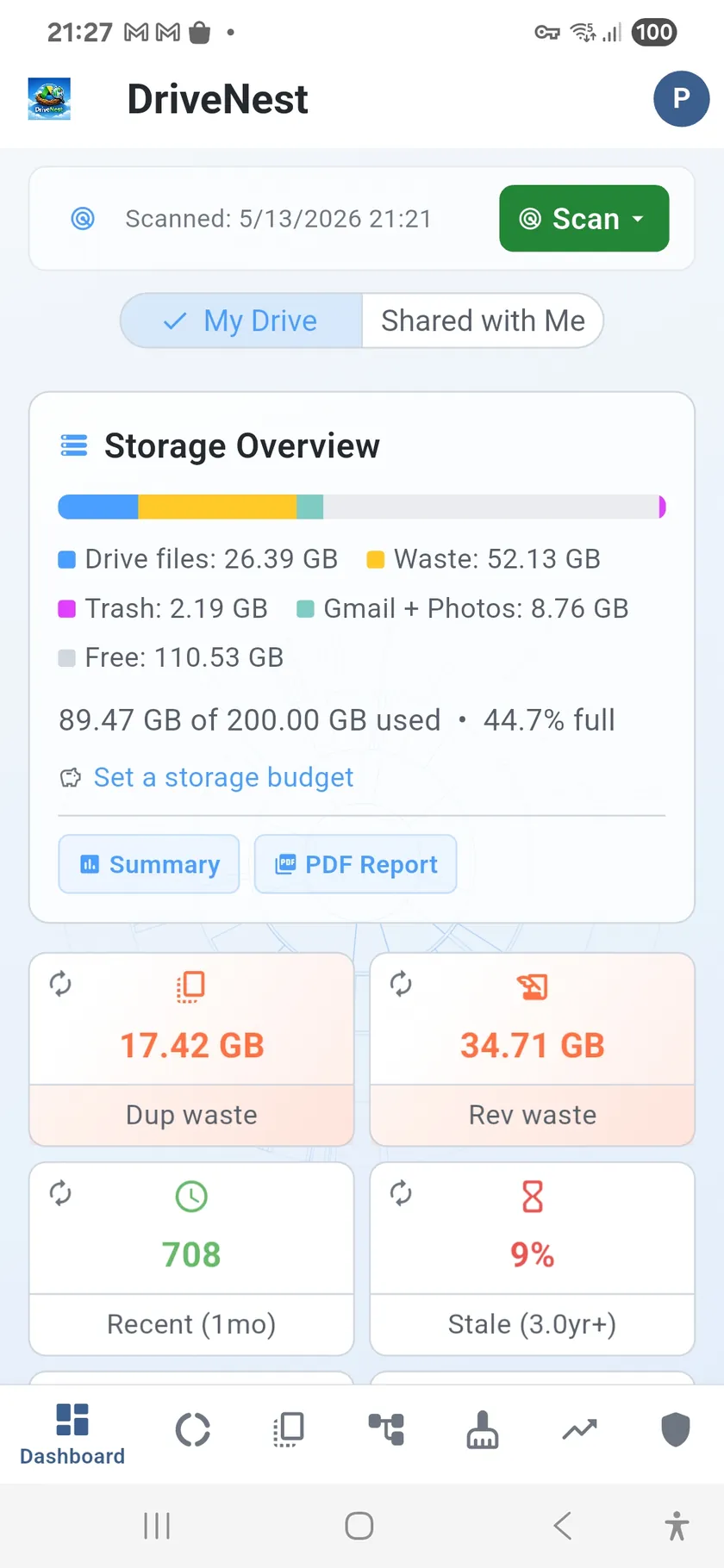
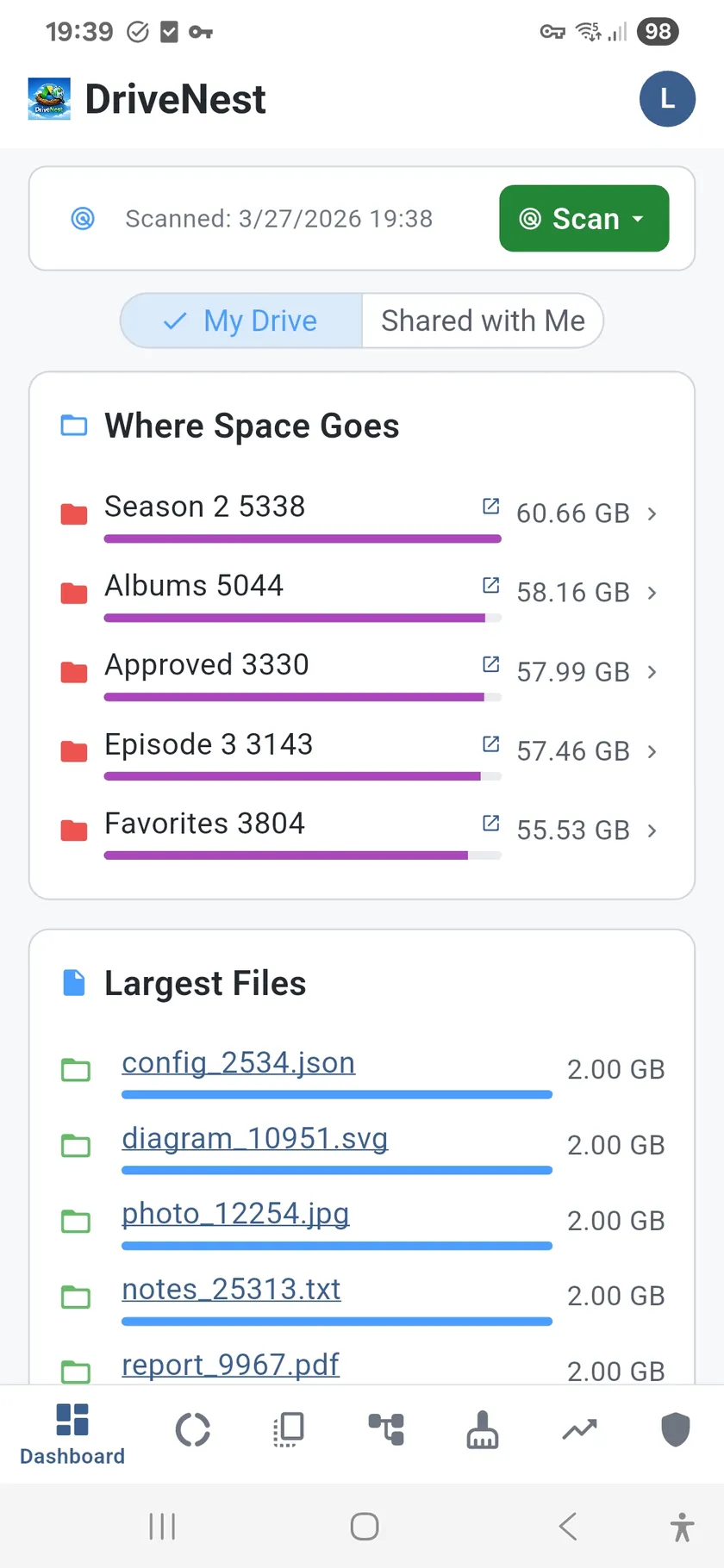
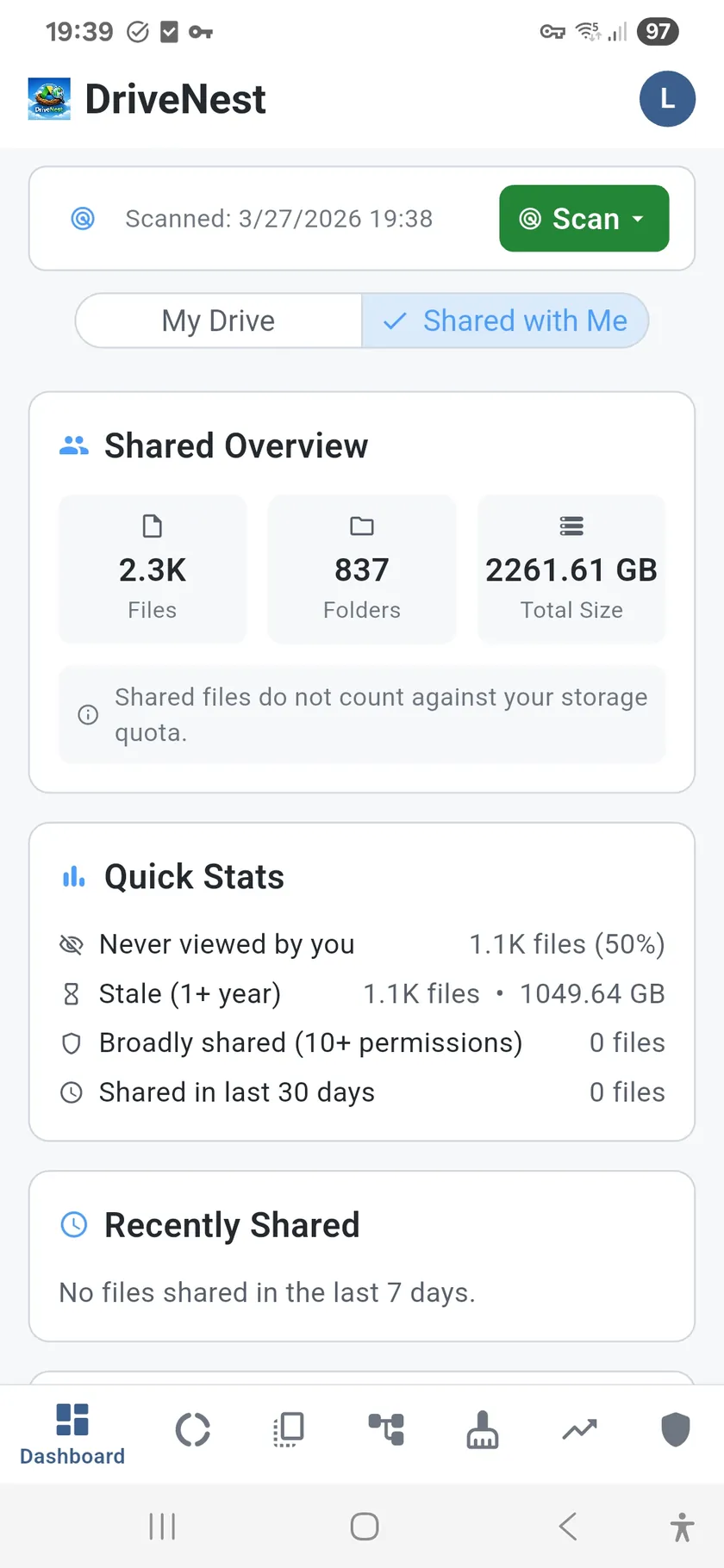
Storage overview, quota breakdown, largest folders and files, stale file detection, ghost files, smart insights, and storage budget — all in one scrollable view.

Learn more →

Sunburst Chart

Interactive radial visualization of your entire folder hierarchy. Tap any segment to zoom in. Instantly spot which folders consume the most space.

Learn more →
📋

Duplicates

MD5 checksums find identical files. Heuristic scoring classifies each as waste or structural — so you clean what matters, not what breaks things.

Learn more →
📦

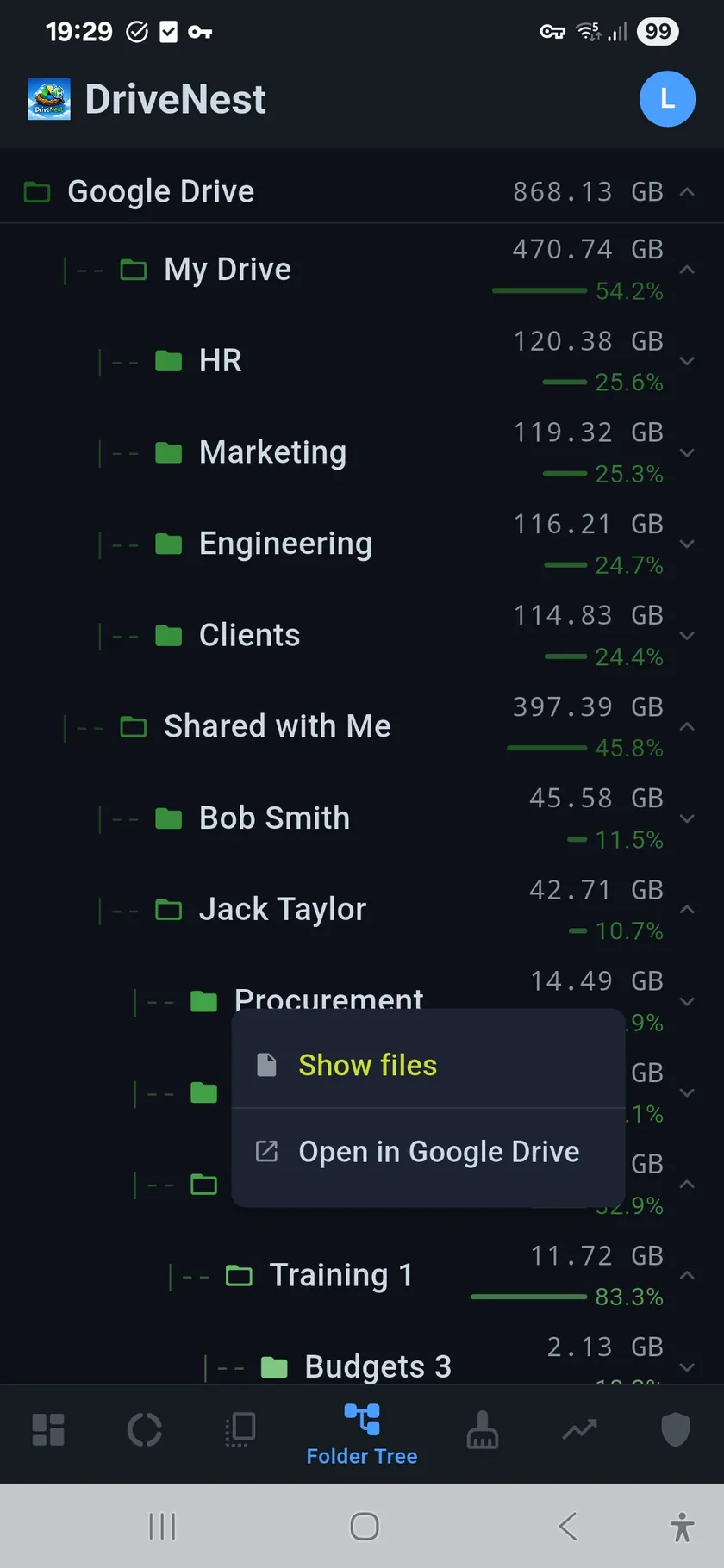
Folder Tree

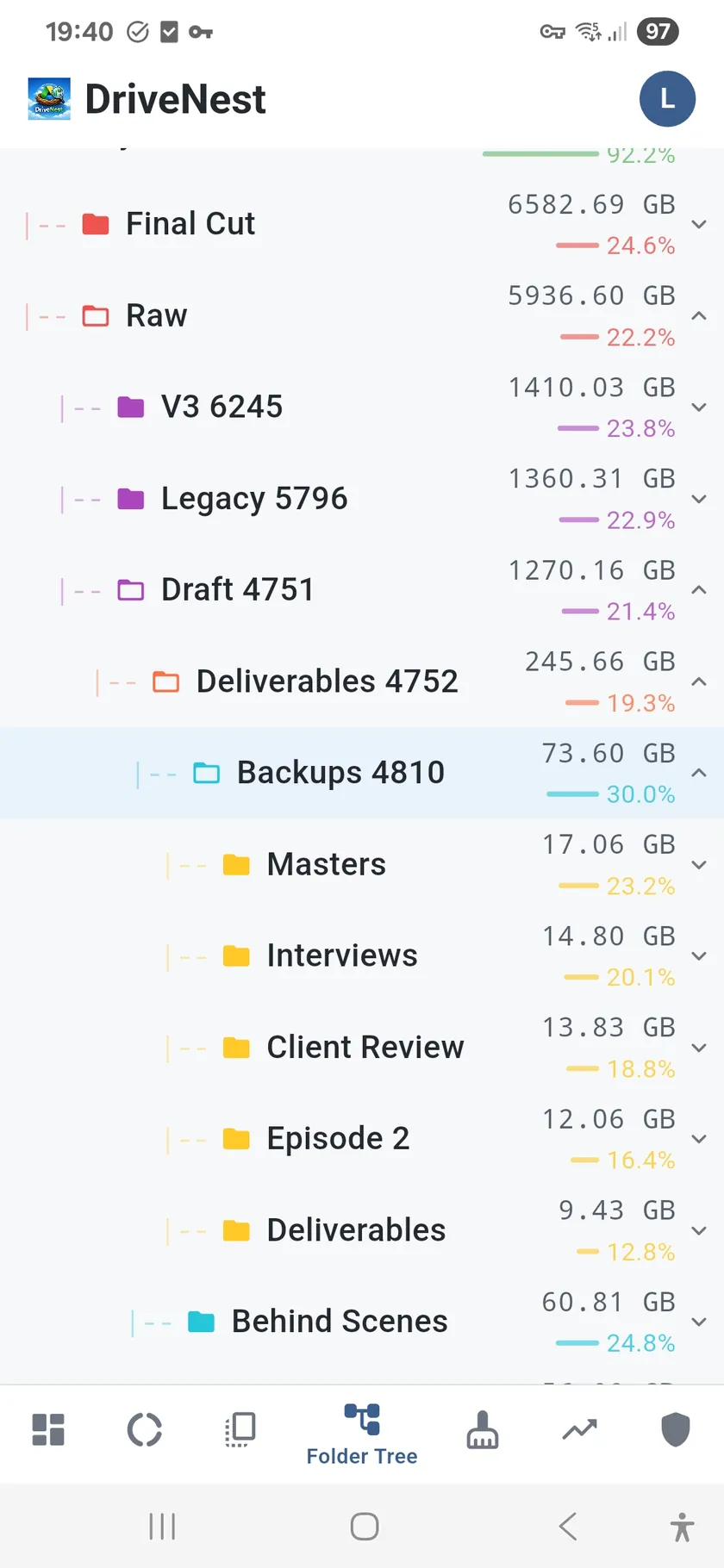
Expandable folder hierarchy with sizes, percentage bars, and direct Google Drive links. Navigate deep structures with search and jump-to-node.

Learn more →
🧹

Cleanup

Bubble chart ranks files by size, staleness, and duplicate risk. Two modes: stale content and reclaim storage. Generate cleanup scripts for safe action.

Learn more →
📈

Trends

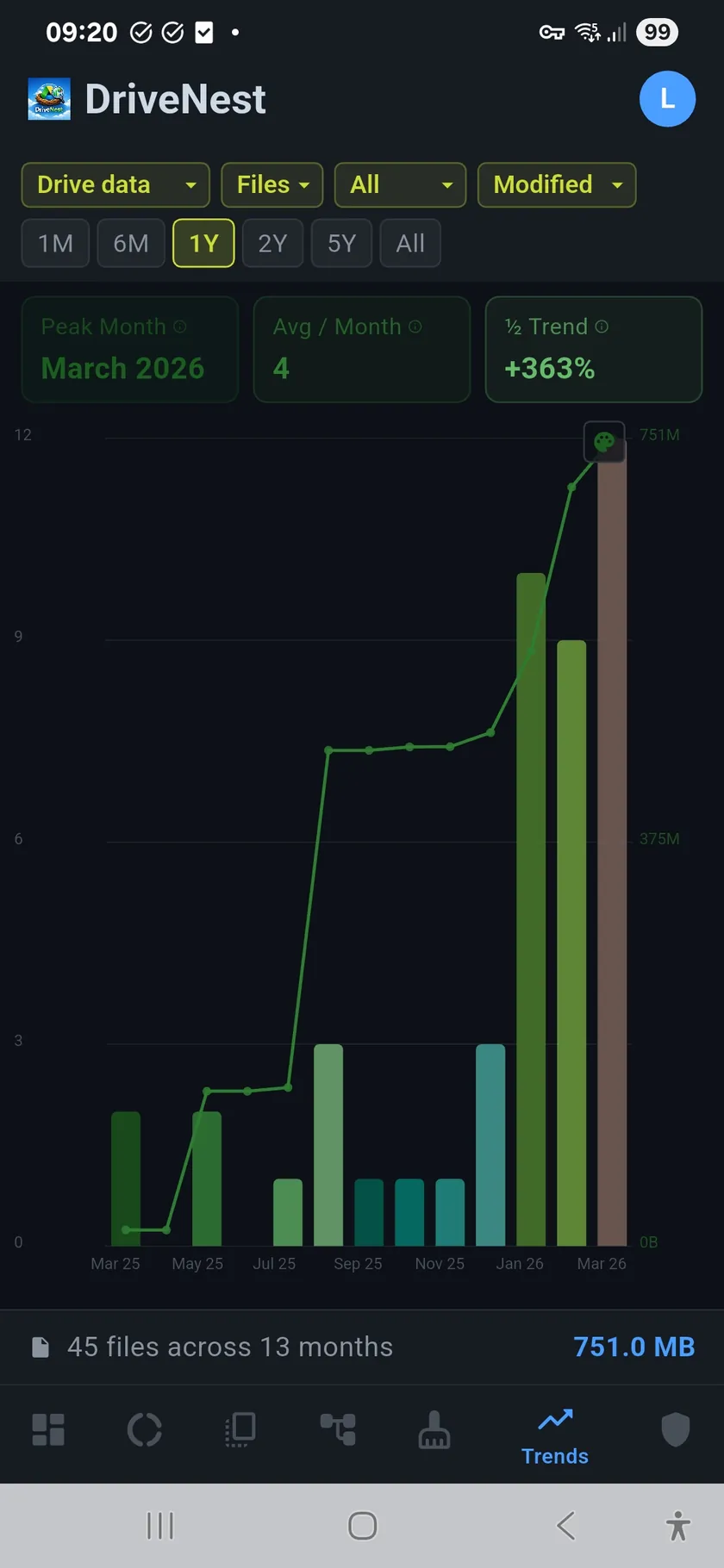
Track storage growth over time with filterable bar charts. Compare scan snapshots to spot spikes in file count, storage, and duplicate accumulation.

Learn more →
🛡

Security Audit

Automated 0–100 security score. Detects shared folders, publicly accessible files, oversharing, stale shares, and generates unshare scripts.

Learn more →
📄

Cleanup & Unshare Scripts

Generate Google Apps Script, Bash, or PowerShell scripts to clean up files or revoke sharing. Deploy directly to your Google account with one tap.

How scripts work →

Start free. Upgrade when you need more.

Three tiers: Free, Premium, and Ultimate. Available as perpetual (one-time) or subscription (monthly installments, 6-month commitment). Subscriptions unlock scheduled scans and automation.

View plans & pricing →

⭐⭐⭐⭐⭐

Enjoying DriveNest?

A quick rating on Google Play helps others discover DriveNest and keeps development going. It takes 10 seconds.

▶ Rate on Google Play

Privacy first, always

DriveNest requests read-only access to your Google Drive metadata. No files are ever read, modified, deleted, or uploaded. Your data stays on your device.

🔒
Read-only metadata access
📡
Data stays on device
🔐
AES-256 encrypted backups
No analytics or tracking

Read full Privacy Policy →