Navigate your cloud storage like a file manager
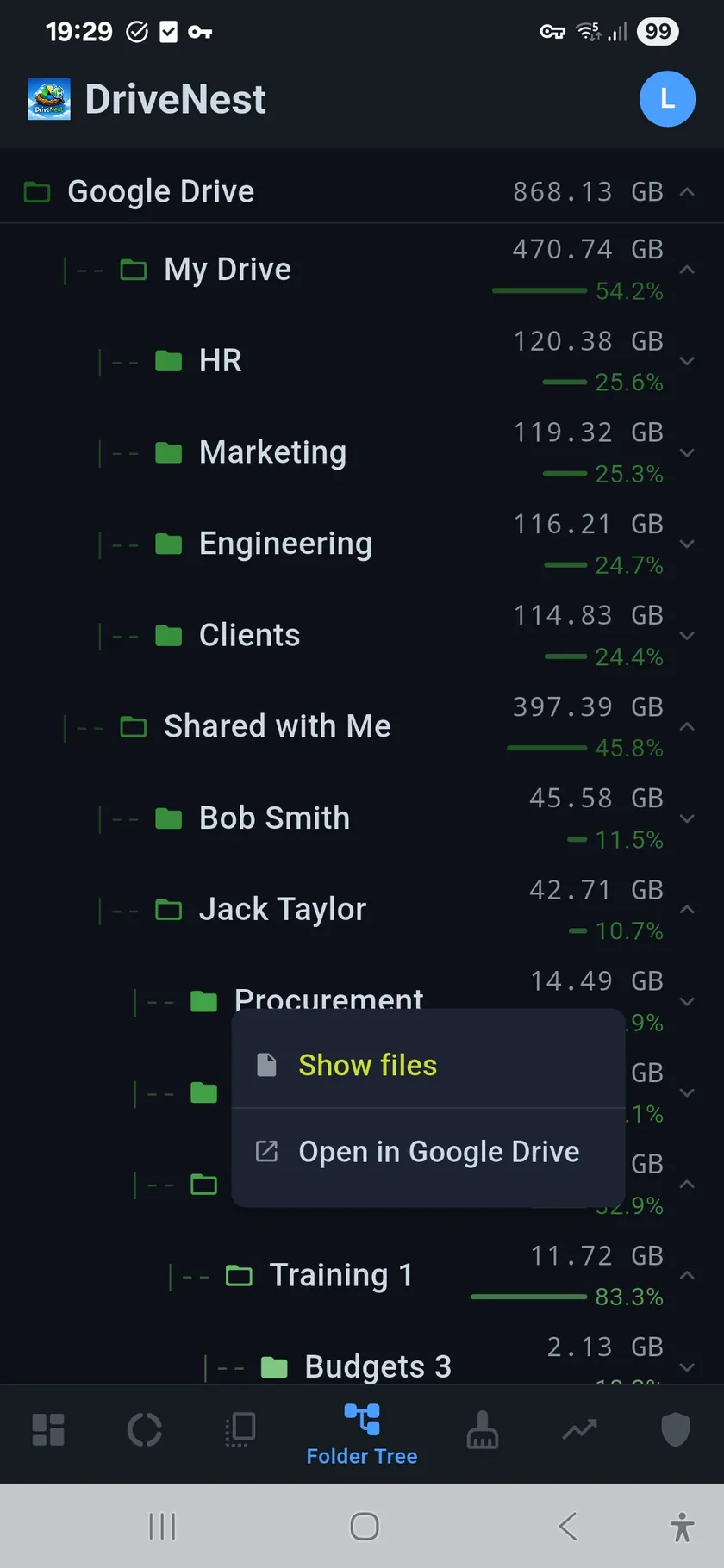
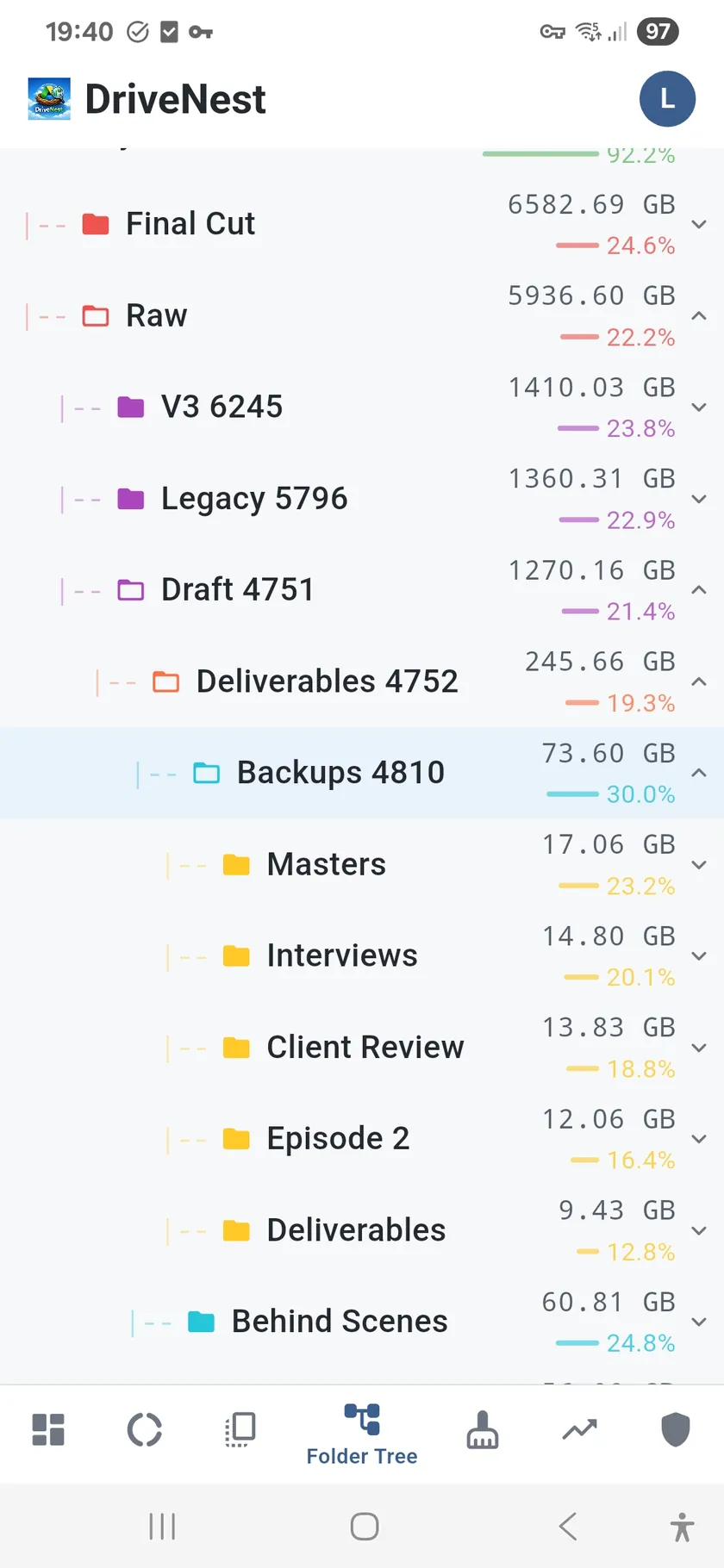
Sometimes you need to see exactly where things are. The Folder Tree gives you the familiar expandable hierarchy view, but with a crucial addition: every folder shows its total size and what percentage of your storage it represents. No more guessing which subfolder is the culprit — the numbers are right there.
Find any folder instantly
With hundreds or thousands of folders, scrolling is not practical. Use the built-in search to jump directly to any folder by name. The tree auto-expands to reveal the matched node in context, so you can see both the folder and its position in the hierarchy.
Folder Tree features
- Size and percentage for every folder — relative to total Drive usage
- Color-coded depth — visual cues help orient you in deep hierarchies
- Expandable/collapsible — open only the branches you care about
- Search and jump-to-node — find any folder by name instantly
- Direct links — open any folder in the Google Drive app or browser, or in OneDrive on the web
- Activity log — see recently modified items within any branch
- Percentage bars — visual width indicators alongside size numbers
From overview to detail
Use the Folder Tree alongside the Sunburst Chart for the best experience. The sunburst shows you where the space is concentrated; the tree lets you drill into the exact path. Together, they give you both the big picture and the fine details.