MD5 detection is just the foundation
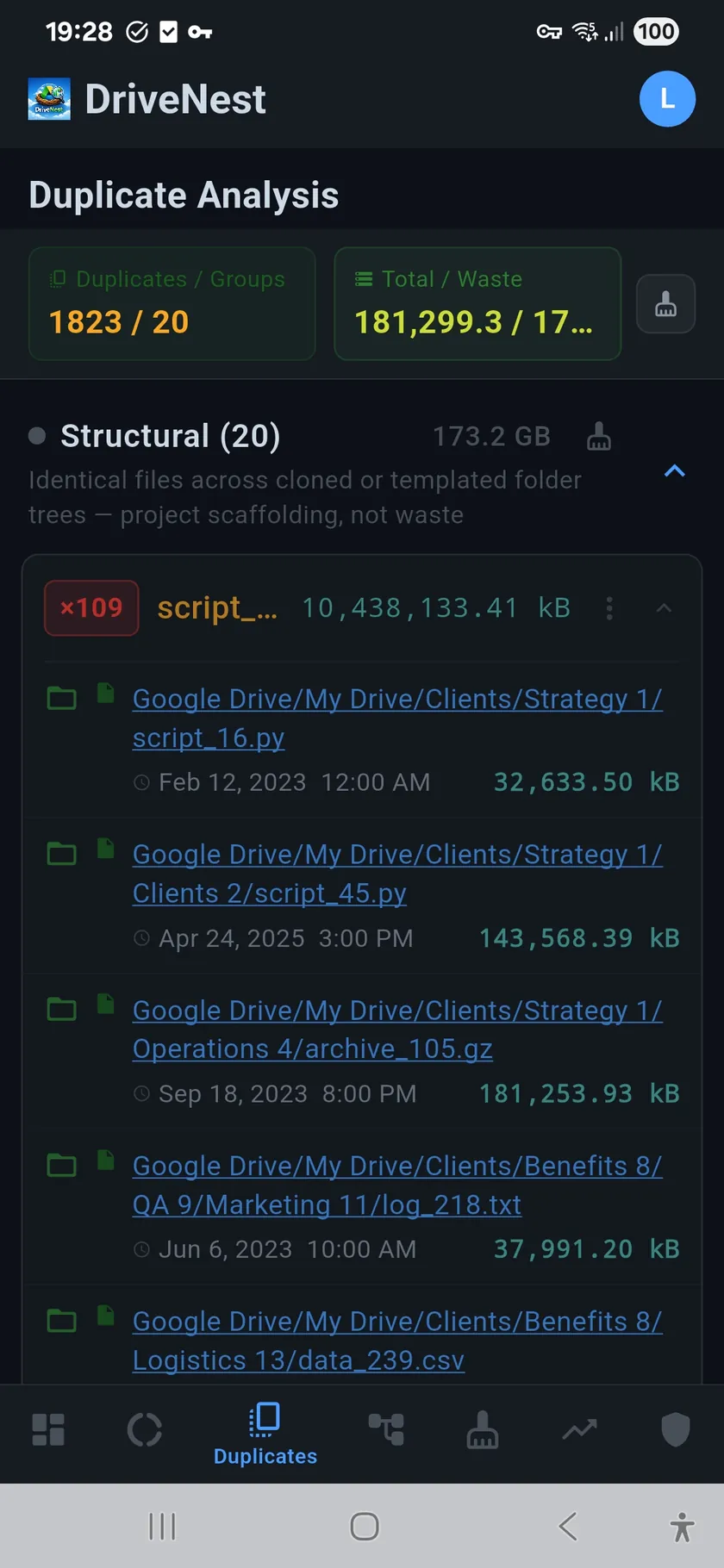
Any tool can match checksums. DriveNest starts with MD5 to find byte-for-byte identical files regardless of name or location — but that's just step one. The real value is what happens next.
Heuristic scoring: the intelligence layer
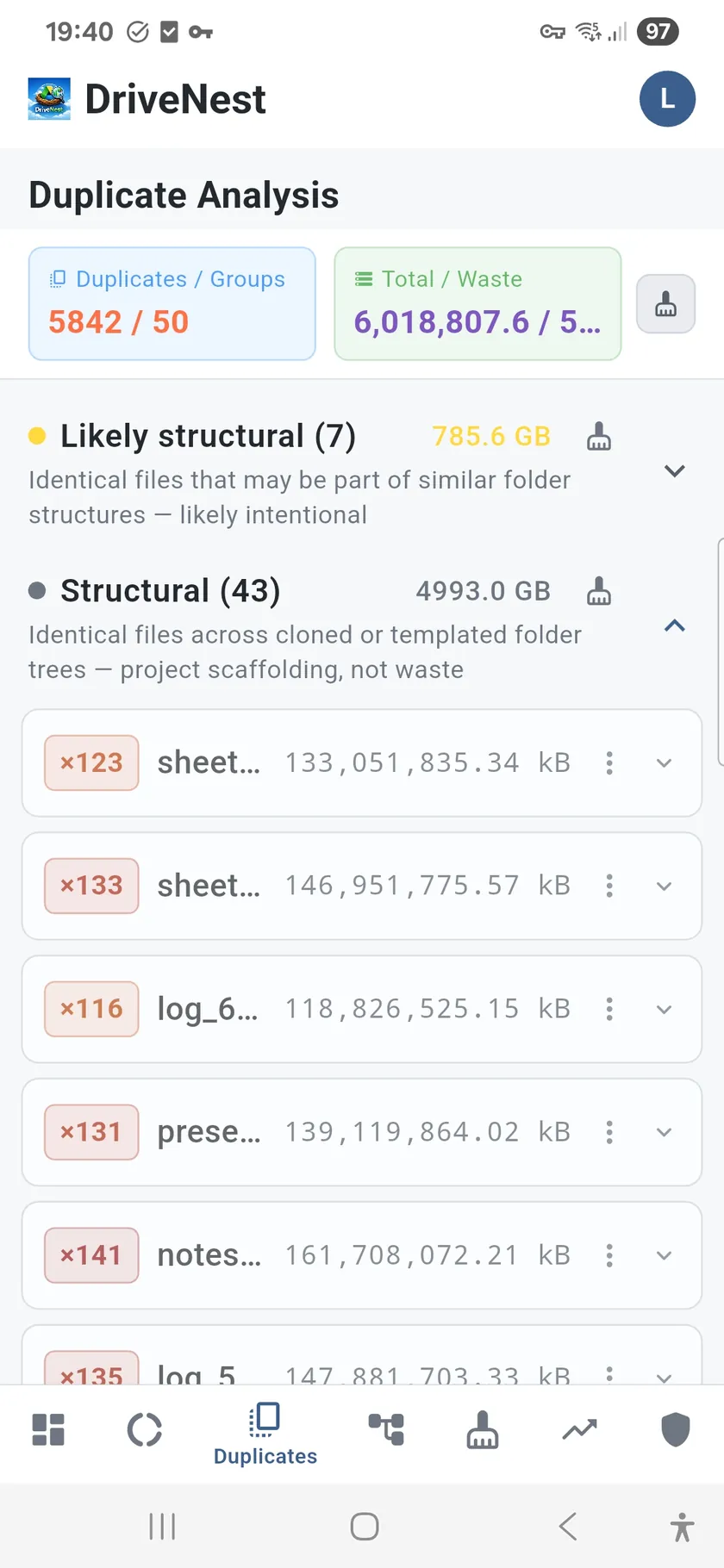
Not every duplicate is waste. A shared template copied into multiple project folders is structural, not junk. DriveNest applies heuristic scoring that analyzes path depth, folder structure, access recency, and copy count to classify each duplicate group with a waste confidence score. High confidence = safe to remove. Low confidence = likely intentional. You clean what matters, not what breaks things. You can also mute groups, recategorize them, or create custom rules to refine the classification.
How duplicate detection works
- MD5 checksum matching — the foundation for content-level detection
- Heuristic waste scoring — analyzes path, structure, and access patterns to classify waste vs. structural
- Grouped by wasted space — biggest savings opportunities appear first
- Confidence rating — high confidence = safe to remove, low = likely intentional
- Mute and recategorize — create rules for duplicate groups you want to keep
- Direct links — open any file in the Google Drive app or browser, or in OneDrive on the web
- Cleanup script generation — generate scripts to remove confirmed duplicates
Sorted by impact
Duplicate groups are ranked by total wasted space, not file count. A single pair of 500 MB video duplicates matters more than fifty copies of a 10 KB text file. DriveNest puts the highest-impact groups at the top so you can reclaim the most space with the least effort.