Track growth, not just usage
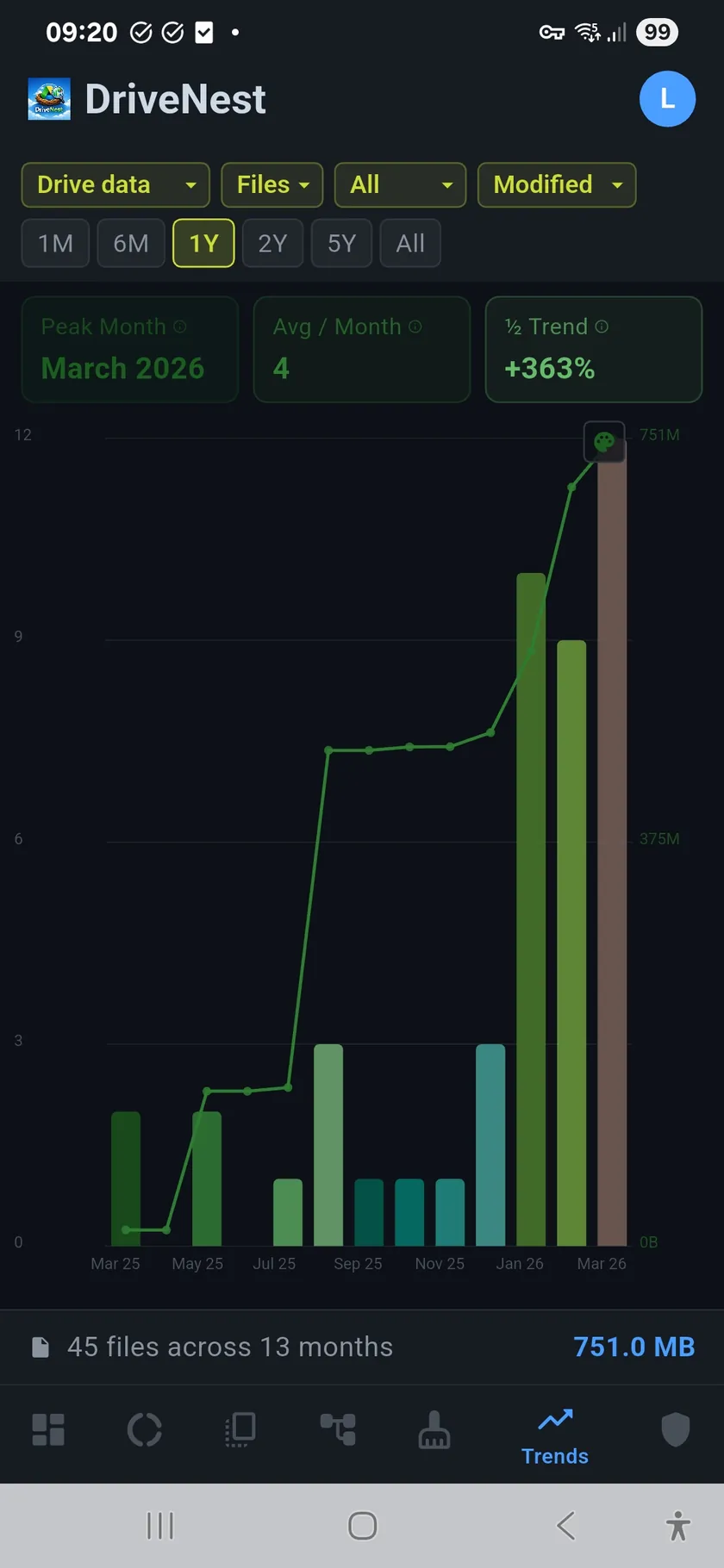
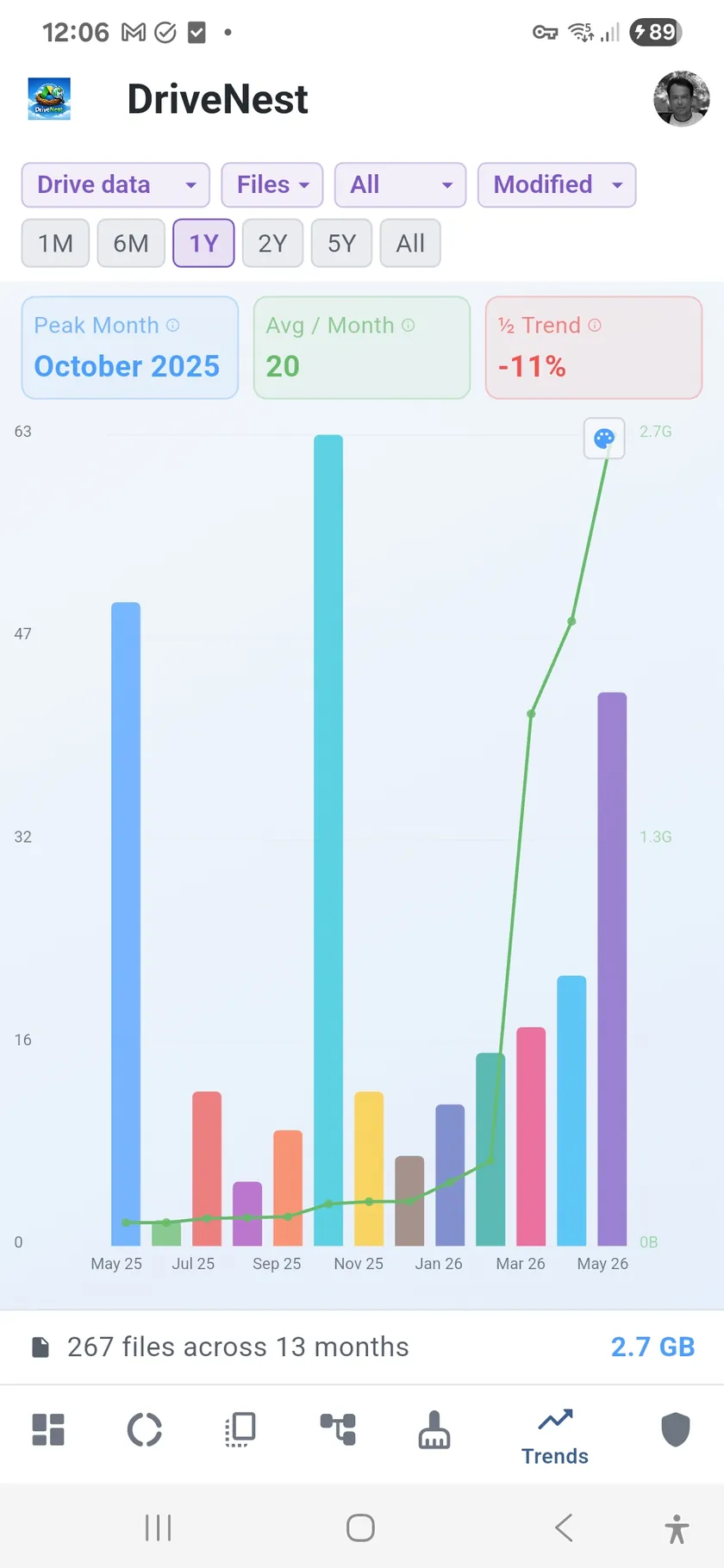
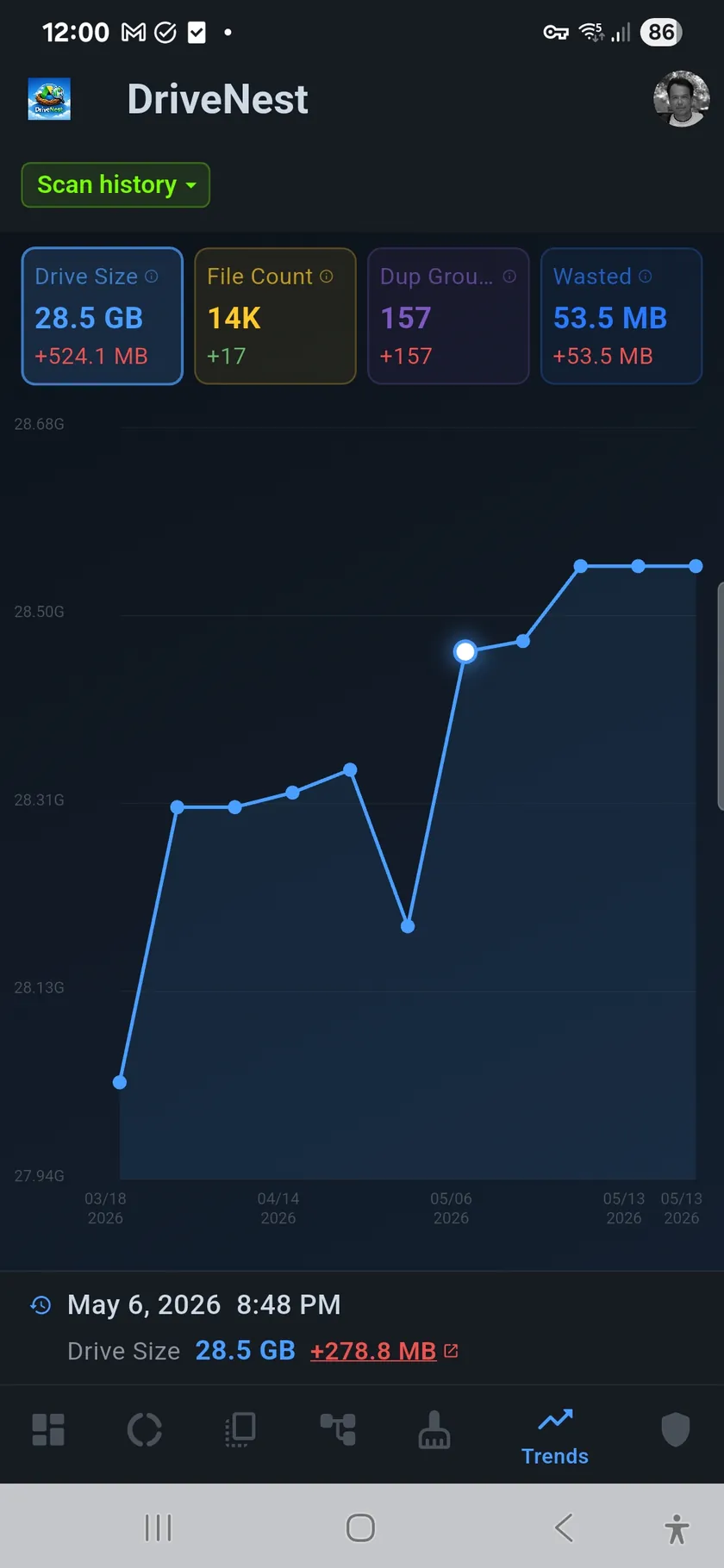
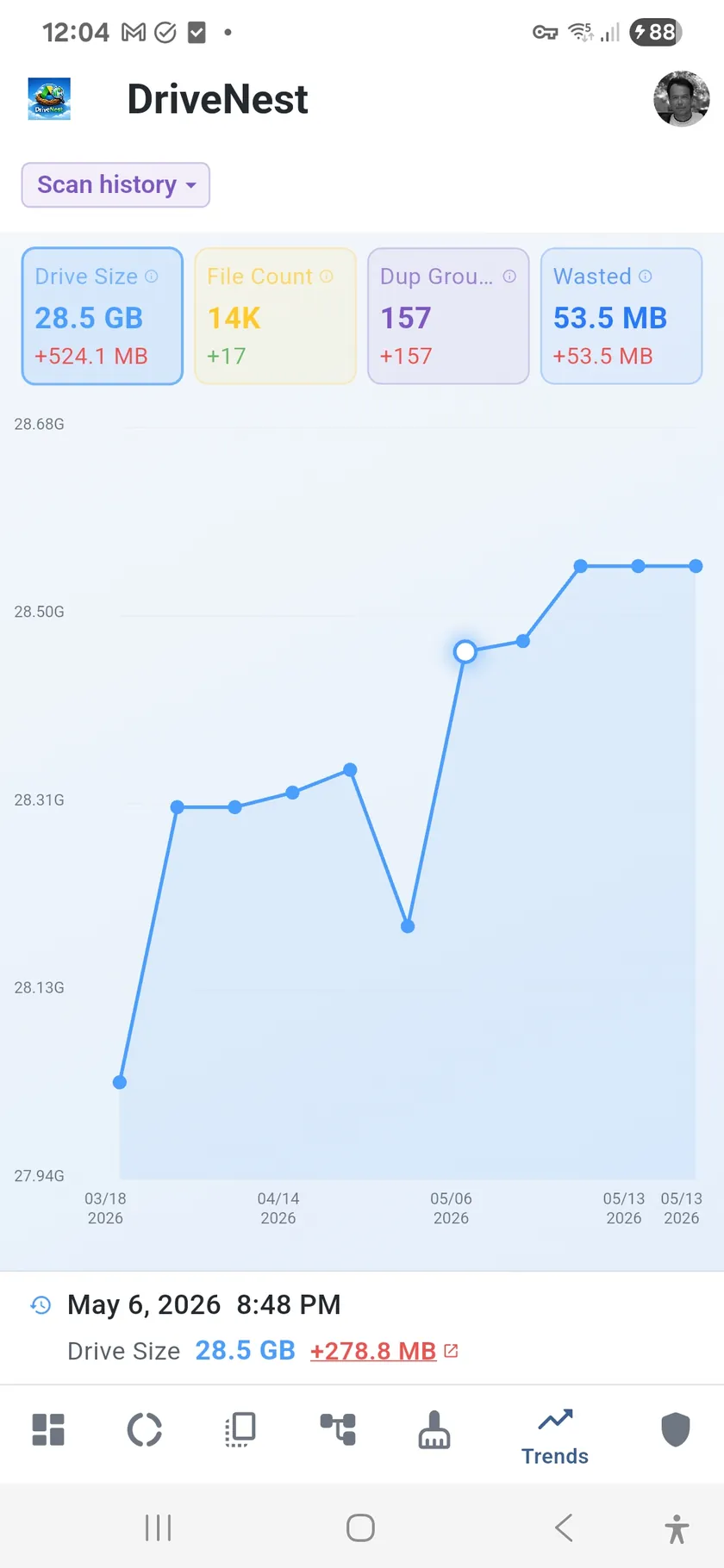
A single scan tells you where you stand today. Trends tell you where you are headed. Each scan is saved as a snapshot, and DriveNest plots them over time as bar charts broken down by month. You can see at a glance whether your storage is growing steadily, spiking suddenly, or holding flat.
Spot the spikes
Did someone dump a batch of large files last November? Did your duplicate count jump after migrating a shared folder? Trend charts make these events visible. Peak month detection highlights the busiest periods automatically, and trend percentages show you the rate of change between scans.
Trends features
- Bar charts by month — storage, file count, and duplicates over time
- Compare scan snapshots — see how your storage changed between any two scans
- Filter by file type — isolate growth by category (images, video, documents, etc.)
- Peak month detection — automatic highlight of the busiest month
- Trend percentage — growth rate shown as a clear up/down indicator
- Scan history — every saved scan contributes to your trend data
Better with scheduled scans
Trend history is available on all tiers. The more scans you save, the richer your data becomes — Free tier stores up to 3 snapshots (each covering up to 20% of your storage), Premium up to 20, and Ultimate keeps unlimited history. With a Premium or Ultimate subscription, scheduled background scans run automatically, building a continuous history without any manual effort.